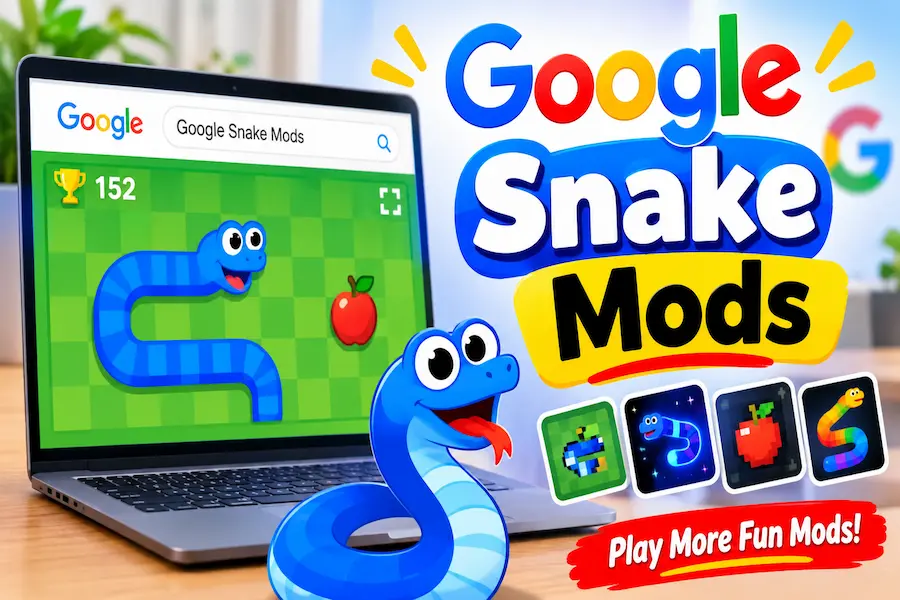
Snake Game Mod: Best Google Snake Mods, Features & How to Install Them

Have you ever played the classic Snake game and wished it offered more than the same old gameplay? After collecting apples, avoiding walls, and trying to beat your previous score, the experience can start feeling repetitive. It can also be frustrating when you find interesting modifications online but don’t know which ones work, how to install them, or whether they are safe to use. If you want more control over your gameplay, you need a way to explore new features without wasting time on confusing instructions.
A Snake Game Mod can make the experience more interesting by introducing additional controls, customization options, visual changes, and new challenges.
In this guide, you’ll discover popular Google Snake mods, learn what their features do, explore available installation methods, and understand their browser and mobile compatibility. We’ll also cover common problems, safety tips, and ways to choose modifications that match your playing style.
What Is Snake Game Mod?
Snake Game Mod refers to a modified version of the traditional Snake game or a collection of modifications that change how the game looks, feels, or works. Many players use the term when searching for Google Snake modifications that add features not included in the standard version.
The original Snake game focuses on a simple objective: control a growing snake, collect food, avoid obstacles, and achieve the highest possible score. Mods can expand this experience by introducing additional menus, different controls, custom levels, and visual options.
Google Snake mods are generally created by third-party developers or community projects. They are not official Google products, so their features, availability, and compatibility can vary.
What Makes Google Snake Mods Different From the Original Game?
The standard game offers a straightforward experience with familiar controls and gameplay rules. Modified versions can provide more choices.
Here are some common differences:
- More customization: Change available visual and gameplay settings.
- Additional controls: Experiment with alternative ways to move the snake.
- Custom challenges: Try different levels or gameplay variations.
- Visual changes: Explore different colors, themes, and appearances.
- Extra settings: Access options that may not be available in the original game.
These changes allow players to experiment with the game instead of following the same routine every time.
How Do Snake Game Mods Work?
Most Google Snake modifications work by changing or extending elements of the browser-based game. Depending on the project, a modification may use a mod loader, a userscript, or another browser-based method.
A mod loader helps connect compatible modifications with the original game. Some projects also provide a website-based interface that makes accessing supported features easier.
Not every mod uses the same installation process. Always follow the instructions provided by the specific developer.
Are Snake Game Mods Free to Play?
Many popular Google Snake modifications are available for free through community projects and browser-based tools.
However, free availability does not automatically mean every website is trustworthy. Avoid unfamiliar download pages, suspicious browser extensions, and files that request unnecessary permissions.
Best Google Snake Mods to Try
Different modifications serve different purposes. Some focus on customization, while others change controls or introduce new gameplay experiences.
Here are popular Google Snake mod projects and features worth exploring. Availability and compatibility should be checked against their current project documentation.
More Menu Mod
More Menu is one of the most recognizable modifications in the Google Snake community.
Its main purpose is to provide access to additional gameplay options and customization features through an expanded menu.
Depending on the available version, players may find options related to game appearance, controls, and gameplay settings.
Why players like it:
- Provides access to extra settings.
- Makes customization easier.
- Offers more control over the playing experience.
- Helps players experiment with different configurations.
If you are new to Google Snake modifications, More Menu is a useful starting point to investigate.
Level Editor Mod
The Level Editor is designed for players who want more control over the game’s environment.
Instead of always playing with the standard layout, compatible level-editing tools can allow players to experiment with custom arrangements and challenges.
Some versions may provide options to adjust obstacles or create different gameplay situations.
Why players like it:
- Encourages creative gameplay.
- Offers more challenge possibilities.
- Allows experimentation with custom layouts.
- Makes repeated play sessions more interesting.
Check the specific editor documentation to understand which features are currently supported.
Mouse Mode
Mouse Mode changes the traditional control experience.
The standard Snake game usually relies on keyboard or directional controls. Mouse-based alternatives offer a different way to interact with the game.
This can appeal to players who want to experiment with alternative movement methods.
Why players like it:
- Provides a different control experience.
- Encourages experimentation.
- Offers an alternative to traditional keyboard movement.
Actual behavior depends on the particular version of the modification.
Pudding Mod
Pudding Mod is associated with visual and gameplay customization in the Google Snake mod community.
Players interested in changing the traditional experience may find this modification worth exploring.
Before installing it, check its documentation to understand which options are available and whether it works with your current game version.
More Pudding Mod
More Pudding Mod is another community modification associated with the Pudding family.
Its appeal is primarily for players who want additional customization options.
As with other community-developed modifications, features may vary between releases. Check the project’s current documentation rather than assuming every version offers the same functionality.
Visibility Mod
Visibility Mod focuses on changing elements related to what players can see during gameplay.
Such modifications can be interesting for players who enjoy experimenting with visual challenges.
Before using it, review the available version and confirm what aspects of the game it changes.
Chess Mode
Chess Mode introduces a chess-inspired gameplay variation within the broader Google Snake mod ecosystem.
It is intended for players who want something different from the usual apple-collecting experience.
Its exact mechanics depend on the particular implementation.
Candy Mode
Candy Mode is a themed variation associated with Google Snake modifications.
It offers a different style of gameplay compared with the standard appearance.
Players who enjoy themed experiences may want to explore it alongside other available modifications.
Chimera Mod
Chimera is another community-developed Google Snake modification.
Players interested in exploring different mod combinations and gameplay variations may find it useful.
Check its official project information before installation because features and compatibility can change.
Conway Mod
Conway-related modifications introduce a different gameplay concept inspired by cellular automata.
This makes it an interesting option for players who enjoy experimenting with unusual game mechanics rather than simply increasing their score.
TimeKeeper Mod
TimeKeeper is associated with timing-related gameplay features.
Players who enjoy tracking their performance or experimenting with time-based challenges may find this type of modification interesting.
Verify the supported features in the current project documentation.
Wall-EndgameSooner Mod
This modification is associated with changing the way boundary-related gameplay pressure works.
It may appeal to players who want a different challenge from the traditional Snake experience.
Check the current implementation before assuming how its gameplay rules work.
Compare the Best Snake Game Mods
Choosing a modification depends on what you want from the game.
Some players want more settings, while others prefer custom challenges or alternative controls.
The following table summarizes their general purposes.
| Mod | Main purpose | Best suited for |
| More Menu | Additional settings | Beginners |
| Level Editor | Custom levels | Creative players |
| Mouse Mode | Alternative controls | Experimental gameplay |
| Pudding | Customization | Players seeking variations |
| More Pudding | Additional variations | Customization enthusiasts |
| Visibility | Visual challenges | Experienced players |
| Chess Mode | Chess-inspired gameplay | Strategy fans |
| Candy Mode | Themed experience | Casual players |
| Chimera | Gameplay variation | Mod enthusiasts |
| Conway | Unusual mechanics | Experimental players |
| TimeKeeper | Timing-related features | Performance-focused players |
| Wall-EndgameSooner | Boundary-related challenge | Experienced players |
Which Google Snake Mod Is Best for Beginners?
More Menu is a sensible starting point for beginners because it is associated with additional settings and customization.
However, the best choice depends on the features available in the current version.
If you are new to modifications, start with a well-documented project and avoid installing several unfamiliar tools at once.
Which Mod Offers the Most Customization?
More Menu and Level Editor are worth exploring if customization is your main priority.
More Menu focuses on additional settings, while Level Editor is associated with experimenting with game layouts and challenges.
Which Mods Are Best for Challenging Gameplay?
Visibility, Conway, and Wall-EndgameSooner are interesting options for players who want something different from the standard game.
The actual difficulty depends on the implementation and settings available.
Which Snake Mods Are Worth Trying First?
Start with More Menu if you want additional options.
Try Level Editor if you enjoy creating challenges. Explore alternative gameplay modifications once you understand how the mod loader and installation process work.
How to Install Snake Game Mods
Installing a Google Snake modification depends on the tool and project you choose.
Some projects offer a website-based method, while others provide browser-based scripts or older bookmark-import instructions.
Always use the installation instructions published by the project developer.
Method 1: Use the Google Snake Mods Website
Some community projects offer a website-based interface for accessing Google Snake modifications.
A general process may look like this:
- Open the project’s official website.
- Read its installation and compatibility instructions.
- Find the available mod loader or supported game options.
- Follow the on-screen instructions.
- Open the game and check whether the selected features are available.
One community resource worth investigating is GoogleSnakeMods.com.
Website-based installation can be easier for beginners, but check what the site actually does before granting permissions or downloading anything.
Method 2: Install the Google Snake Mod Loader
The Google Snake Mod Loader is a community project associated with installing and managing compatible modifications.
You can review its documentation through the DarkSnakeGang GitHub repository.
A general process involves:
- Open the official repository.
- Read the current installation instructions.
- Choose the supported installation method.
- Follow the developer’s instructions carefully.
- Open Google Snake and check whether the loader works.
The repository may offer different installation methods. Prefer the currently recommended method rather than relying on older tutorials.
How to Install Mods Using Tampermonkey
Tampermonkey is a browser extension that manages userscripts.
Some modifications may use userscripts to add or change website functionality.
If a particular Google Snake project explicitly supports Tampermonkey, follow these general precautions:
- Visit the official Tampermonkey website.
- Check whether your browser is supported.
- Install the extension through your browser’s official extension store.
- Obtain the userscript only from the developer’s trusted source.
- Review the script’s permissions and contents where possible.
- Follow the project’s installation instructions.
- Test the modification using the supported game version.
Do not install random scripts simply because a website promises unlimited features.
How to Use the More Menu Mod
If you have successfully installed a compatible More Menu version:
- Open the supported Google Snake game.
- Check whether the additional menu appears.
- Explore the available settings.
- Select the options you want to try.
- Start a game and test the changes.
The available menu options depend on the particular version.
How to Check Whether Your Mod Is Working
After installation, check a few basic things:
- Does the game open normally?
- Does the mod menu appear?
- Are the expected settings available?
- Do the selected changes affect gameplay?
- Does the game remain stable?
If nothing changes, revisit the installation instructions and check whether the mod supports your current browser and game version.
What to Know About Older Bookmark Import Methods
Older Google Snake modification tutorials often explain how to use bookmark imports.
These methods may still appear in online guides, but they should not automatically be treated as the recommended installation approach.
Some older instructions may depend on outdated code or game behavior.
Before following them, compare the tutorial with the latest instructions in the original project repository.
Can You Play Snake Game Mods on Mobile?
Mobile compatibility is one of the most common questions among people searching for Google Snake modifications.
The answer depends on the modification, browser, installation method, and device.
A mod that works on desktop Chrome may not work in the same way on a smartphone.
How to Play Google Snake Mod on Android
Android users can access browser-based games, but installing modifications may require additional steps.
Some extensions and userscript tools have browser-specific limitations.
Before trying a mod:
- Check whether the project supports Android.
- Review the supported browser list.
- Confirm whether the installation method works on your device.
- Avoid downloading unknown APK files.
- Test the game without unnecessary permissions.
Do not assume that every desktop mod can be installed on Android.
Can You Use Snake Game Mods on iPhone and iPad?
iPhone and iPad users may face additional restrictions because browser extension support differs from desktop browsers.
Safari supports certain extensions, but that does not mean every userscript or Google Snake mod is compatible.
Check the project’s documentation for Apple device support before attempting installation.
If the modification is not supported, playing the original browser game may be the simpler option.
Do Snake Mods Work on Chromebooks?
Many Chromebooks use Chrome or another supported browser, which can make browser-based games convenient to access.
However, compatibility still depends on the specific modification.
Check whether the mod supports your Chromebook’s browser and operating system configuration.
Desktop vs. Mobile Mod Compatibility
| Feature | Desktop | Mobile |
| Browser-based gameplay | Generally supported | Generally supported |
| Keyboard controls | Available | Device-dependent |
| Mouse controls | Available with compatible setup | Limited |
| Userscript extensions | Browser-dependent | More restricted |
| Custom game settings | Mod-dependent | Mod-dependent |
| Level editing | Mod-dependent | Mod-dependent |
The safest approach is to check the project’s official compatibility information before installing anything.
Read This Topic: Cool Google Easter Eggs
Snake Game Mod Features and Customization Options
One reason players explore modifications is the ability to experiment with features beyond the original game.
Depending on the mod, these changes may affect appearance, controls, or gameplay.
Customize Snake Skins and Colors
Some modifications offer visual customization options.
Players may be able to experiment with different colors, appearances, or themes.
These options can make the game feel less repetitive without changing its basic objective.
Change Board Size and Game Settings
Certain modifications are associated with additional gameplay settings.
These may include changes to board layouts or other supported options.
Always check the available settings because not every mod provides the same features.
Create Custom Levels With the Level Editor
Level-editing tools can make the game more interesting for players who enjoy building their own challenges.
Instead of always playing the standard layout, supported editors may allow experimentation with different arrangements.
Change Game Controls With Mouse Mode
Mouse-based control modifications offer an alternative to traditional directional input.
They are worth exploring if you want a different way to control the snake.
Explore Different Game Modes and Challenges
Some community modifications introduce unusual gameplay variations.
These may include themed modes, visual challenges, or alternative mechanics.
Try one modification at a time so you can understand how each one changes the experience.
Are Snake Game Mods Safe?
Safety matters whenever you install third-party modifications.
Although many community projects are created for entertainment, not every website offering a Snake Game Mod is trustworthy.
You should understand where a file comes from and what permissions it requests before installing it.
Where to Find Trusted Google Snake Mods
Start with the original project repository or the developer’s official website.
For example, the DarkSnakeGang Google Snake Mod Loader repository provides project information and installation documentation.
Avoid download pages that hide their source code, imitate popular projects, or redirect visitors through suspicious advertisements.
Is the Google Snake Mod Loader Safe?
A project’s reputation alone does not guarantee that every copy or modified version is safe.
Before using a mod loader:
- Check its original developer or repository.
- Review the latest project updates.
- Understand what the loader changes.
- Inspect permissions and installation requirements.
- Avoid unofficial copies from unfamiliar websites.
Only use tools that you understand and trust.
What to Check Before Installing Browser Extensions
Browser extensions can sometimes access information from websites you visit.
Before installing one, check:
- The publisher’s identity.
- Its requested permissions.
- Its update history.
- User reviews and reported problems.
- Whether it is available through the official extension store.
If an extension requests access that seems unrelated to the game, reconsider installing it.
How to Avoid Suspicious Mod Downloads
Use these simple precautions:
- Avoid unknown APK files.
- Do not disable browser security protections to install a mod.
- Avoid installers that bundle unrelated programs.
- Never share passwords or personal information with a game-mod website.
- Keep your browser and security software updated.
A little caution can help you avoid unnecessary problems.
Also Read: Android Hidden Game
How to Fix Common Snake Game Mod Problems
Even correctly installed modifications can sometimes stop working.
Browser updates, game changes, incompatible scripts, and installation mistakes can all cause problems.
Here are some practical troubleshooting steps.
Google Snake Mod Not Loading
If the mod does not load:
- Refresh the game page.
- Check your internet connection.
- Confirm that the modification supports the current game version.
- Review the installation instructions.
- Disable conflicting modifications temporarily.
If the problem continues, consult the original project’s issue tracker.
More Menu Mod Not Appearing
If the More Menu does not appear, check whether the loader is installed correctly.
Also confirm that:
- The correct mod version is selected.
- The game is running on a supported page.
- The browser has not blocked the required script.
- Another extension is not interfering with the modification.
Snake Game Mod Not Working in Chrome
Start by updating Chrome to a supported version.
Then check the extension or userscript settings and confirm that the mod is enabled.
If you recently updated your browser, the modification may need an update from its developer.
Mod Loader Not Working After a Browser Update
Browser updates can sometimes affect extensions and userscripts.
Visit the project’s official repository and check for compatibility notes or updated instructions.
Avoid installing an older version from an unknown download website just to make the game work again.
Snake Game Freezing or Crashing
A freezing game may be caused by an incompatible modification, browser extension conflict, or limited device resources.
Try these steps:
- Close unnecessary browser tabs.
- Refresh the game.
- Disable recently installed modifications.
- Restart your browser.
- Test the original game without mods.
If the original game works but the modified version does not, investigate the modification first.
How to Restore the Original Google Snake Game
If you want to return to the standard experience:
- Disable the modification or userscript.
- Remove any unnecessary game-related extension.
- Close the game tab.
- Open the original game again.
- Check whether the standard gameplay has returned.
Follow your browser’s normal extension-removal process if you no longer need a mod.
FAQs
What Is the Best Snake Game Mod?
More Menu is a popular starting point for players interested in additional settings and customization. However, the best option depends on whether you prefer custom levels, alternative controls, or different gameplay experiences.
Can I Play Snake Game Mod Online?
Yes, some Google Snake modifications can be accessed through browser-based projects. Availability depends on the particular mod and its installation requirements.
Do I Need to Download Anything to Play Snake Game Mods?
Not always. Some community projects provide website-based access, while others require a browser extension, userscript, or mod loader.
Check the instructions for the specific project installation.
Is Google Snake Mod an Official Google Product?
No. Most Google Snake modifications are developed by independent developers or community projects. They are not official Google products.
Can I Play Google Snake Mods Without an Extension?
Some website based methods may not require a traditional browser extension. However, other modifications depend on user scripts or additional tools.
The correct method depends on the project.
Do Google Snake Mods Work on Firefox and Microsoft Edge?
Compatibility varies. Some modifications may support multiple browsers, while others are designed for a specific browser or extension system.
Always check the developer’s supported browser list.
Can I Use Google Snake Mods Offline?
It depends on how the game and modification are implemented. Some features may rely on online resources or scripts.
Do not assume that every mod works offline.
Can I Get Banned for Using Google Snake Mods?
There is no universal ban rule for every Google Snake modification. These are generally third party changes to a browser game, but users should review the applicable website terms and avoid suspicious services.
Final Thoughts
A Snake Game Mod can give the familiar Snake experience a fresh feel through additional settings, custom challenges, alternative controls, and visual changes. Whether you are interested in More Menu, Level Editor, Mouse Mode, or other community modifications, choose projects with clear documentation and check their compatibility before installing them.
Start with one trusted modification, test it carefully, and avoid unfamiliar downloads or unnecessary browser permissions. With the right approach, you can explore new ways to enjoy Google Snake without making the experience more complicated than it needs to be.
Read More information content Follow Wisinsider