Cool Google Easter Eggs: Fun Tricks, Games, and Secrets

You are bored, you have a browser open, and you want something fun. So you search for cool google easter eggs. Then the trouble starts. One list is from 2019. Another says “50+” but gives you short, vague lines. Half the tricks do nothing when you try them, and some pages want you to click strange links. It is a waste of time, and it makes you wonder what is real and what is not.
This guide fixes that. I read the top pages on this topic and compared what each one covers. Then I kept the best ideas, added step-by-step help, and grouped everything in a clear way. You get games, screen tricks, word jokes, and handy tools. You also get notes for phone and desktop, a fix list for when a trick fails, and a safety check. Google can change or remove any of these at any time, so this page is built to help you test them fast. I also checked the tricks against the Wikipedia list of Google Easter eggs and Chrome Story’s step by step notes on October 31, 2026. I have not run every trick myself, and I say so where it matters.
Quick answer: Cool google easter eggs are hidden jokes, games, and tools inside Google. To try one, go to google.com and type a phrase such as “do a barrel roll“, “zerg rush”, or “flip a coin”. The page then plays a game, moves, or shows a tool. Most work in a normal browser, and no app or download is needed.
What Are Google Easter Eggs?
An easter egg is a hidden surprise inside a product. It is not listed in the menu. You find it by accident, by a tip, or by typing the right words. Google has hidden many of them in Search, Maps, Chrome, and other tools.
The name comes from video games. In the Atari game Adventure, released around 1980, a programmer hid his name in a secret room. Players who found it felt like they had found a hidden egg. The idea stuck, and software teams still do it today.
Easter Eggs vs Google Doodles
People often mix these two up. A Google Doodle is a special logo on the Google home page. Google shows it on holidays and anniversaries. An easter egg is different. You have to ask for it, usually by typing a phrase. So a Doodle finds you, but you have to find an easter egg.
What Kinds of Easter Eggs Exist?
Most cool google easter eggs fit into five groups:
- Games: playable mini games, such as Snake or Pac-Man.
- Screen tricks: the page spins, tilts, or blinks.
- Word jokes: playful replies to words like “recursion”.
- Handy tools: a timer, a coin flip, or a metronome.
- Pop culture nods: a reply that links to a movie, game, or show.
We use the same five groups in the rest of this guide. That way, you can jump to the kind of fun you want.
Top 10 Cool Google Easter Eggs at a Glance
Short on time? Start with this table. It lists ten popular cool google easter eggs, what to type, and what happens. The names come from the top pages on this topic. Google changes these often, so test each one on your own screen.
| # | Type this in Google | What happens | Best on |
| 1 | do a barrel roll | The page spins once | Desktop |
| 2 | zerg rush | Google Os eat your search results | Desktop |
| 3 | Atari Breakout (in Google Images) | You play a brick-breaker game | Desktop |
| 4 | askew | The results tilt to one side | Desktop |
| 5 | recursion | Google asks “Did you mean: recursion” again and again | Any device |
| 6 | flip a coin | A coin lands on heads or tails | Any device |
| 7 | snake game | You can play Snake in the results | Any device |
| 8 | bubble level | A level tool uses your phone’s tilt sensor | Phone |
| 9 | what sound does a cow make | You hear the sound and see a card | Any device |
| 10 | Chrome dinosaur game | A small dino jumps over cacti when you are offline | Chrome browser |
Now let us go through each group in more detail.
Google Hidden Games You Can Play for Free
Games are the most popular of all cool google easter eggs. They load inside the page, so you do not need to install anything. Most take under a minute to start. Here are the best ones to try first.
Atari Breakout
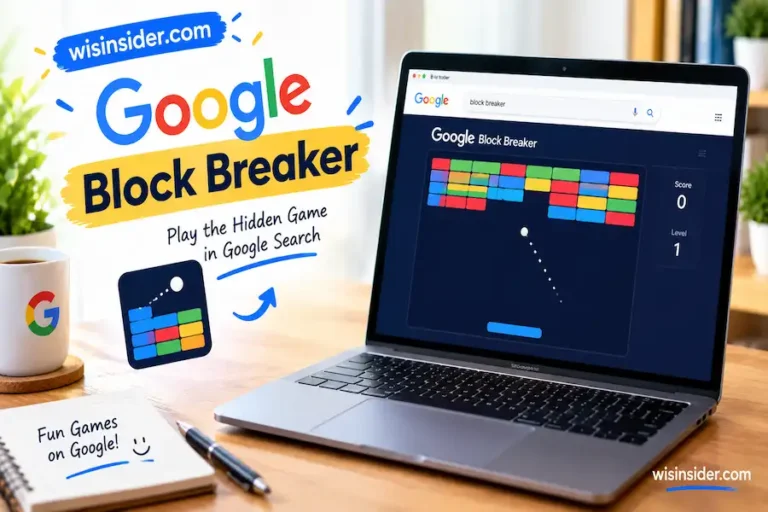
This is a fan favorite. Go to Google Images and search for “Atari Breakout“. When the images load, the pictures turn into bricks. Use your mouse or the arrow keys to move the paddle. Bounce the ball and break every brick. It feels like a classic arcade game, and it is a great first stop.
Zerg Rush
Type “zerg rush” into Google Search. Small Os from the Google logo appear and start to eat your search results one by one. Click or tap on them to destroy them before they finish. A score shows at the end. The name comes from the game StarCraft. Many people find it a funny way to test their reflexes.
Snake, Pac-Man, Solitaire and Tic Tac Toe
Google lets you play several classic games right in the results. Search for each name and look for a play button or a game card:
- Snake game: steer the snake, eat the dots, and avoid the walls.
- Pac-Man: this one began as a 2010 Google Doodle. Click Play and use the arrow keys. Wikipedia says that clicking Insert Coin twice unlocks Ms. Pac-Man.
- Solitaire: the card game opens inside the page, with an easy and a hard mode.
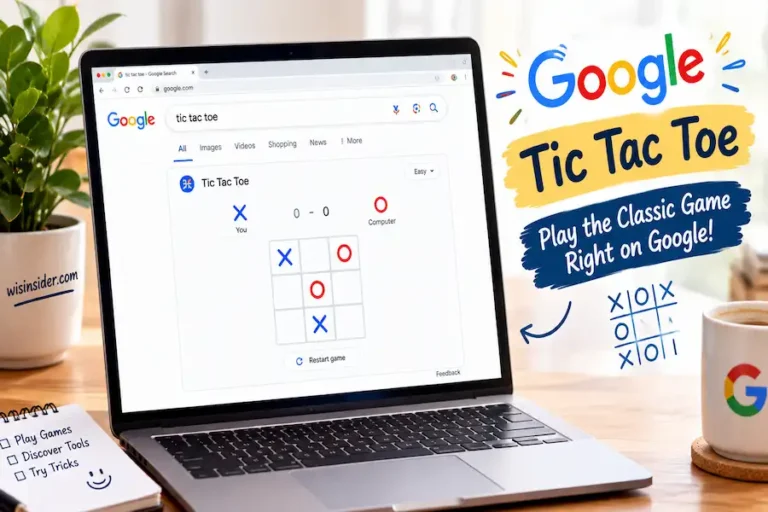
- Tic tac toe: you can play Google at an easy, medium, or impossible level, or play a friend.
One tip: if a game does not show, try the same search on a desktop browser. Some games look better with a mouse and a bigger screen.
Minesweeper
Search for “minesweeper” and a game card appears. Pick Easy, Medium, or Hard. Wikipedia lists the Hard board as 24 by 20 squares with 99 mines. Click the squares and avoid the mines.
Chrome Dinosaur Game
This one is not in Search. It lives in the Chrome browser. When your internet is off, Chrome shows a small dinosaur. Press the space bar, and the dino starts to run. Press the up arrow to jump over cacti, and the down arrow to duck under birds. You can also type chrome://dino in the address bar to play it without losing your connection.
The dino game is a good example of how a plain error page turned into a favorite hidden game. It is a popular pick for anyone searching for hidden google games.
Google Search Tricks That Make Your Screen Move
Some google search tricks do not give you a tool or a game. They just change how the page looks for a moment. These are easy to try, and they are great for showing a friend. Each one takes a single search.
Do a Barrel Roll
This is the best known of all the google easter eggs. Type “do a barrel roll” into Google Search and press Enter. The whole page spins around once, like a plane doing a roll. The name comes from a move in the video game Star Fox. Wikipedia says that typing “z or r twice” triggers it as well. Try it on a desktop first, because it is easier to see on a large screen.
Askew
Search for “askew” and your results tilt to one side. The page is not broken. It is just a joke about things being crooked. Wikipedia says an older “tilt” trigger once did this, but it no longer works, so use “askew”. Some people think it is fun to leave the tilt on and watch a friend try to read the page. To fix it, refresh the page or run a new search.
Google in 1998
Search for “Google in 1998” and the page changes to a retro style. It looks like the early version of Google. Wikipedia notes that this one works on a desktop. It is a fun nod to the past, and it is a nice pick if you like internet history.
Blink HTML
Type “blink html” and the words blink or flash in the results. The blink tag is an old web code that makes text flash. Websites used it a lot in the early days. Modern browsers no longer support it, so Google made a joke out of it.
Conway’s Game of Life
Search for “Conway’s Game of Life” on a desktop, and a cell simulation runs beside your results. You can click the cells to change them. This is a famous math idea. Each cell lives, dies, or is born based on simple rules. Wikipedia notes a bug in spring 2026 that stopped the simulation on some devices, so it may act up. It is quiet, and it looks nice to watch.
Google Gravity
You will see “Google Gravity” on many lists. It makes the Google page fall apart and drop to the bottom of the screen. Note that this is a web experiment by a third party, not a feature built by Google. It is widely credited to the developer known as Mr.doob. Be careful which site you open for it, and see the safety section below.
Quick Tips for Screen Tricks
- Use a desktop browser for the best result.
- Refresh the page to go back to normal.
- Turn off ad blockers or extensions if a trick does not show.
- Try Chrome if another browser does not work.
Clever and Funny Google Easter Eggs for Word Lovers
These tricks reward people who like puzzles, jokes, and movie lines. You type a word or a phrase, and Google answers with a wink. They are short, and they work well for a quick laugh.
Recursion
Search for “recursion”. Google asks, “Did you mean: recursion”. Click it, and you get the same question again. It is a loop that never ends. In computer science, recursion means something that refers to itself. So the joke fits the word well. Wikipedia says that searching “groundhog day” does the same loop.
Anagram
Search for “anagram”. Google replies with “Did you mean: nag a ram”. An anagram is a word made by moving the letters of another word. The reply is itself an anagram of the word you typed. Many people like this one because it is quick and clever.
Answer to Life, the Universe and Everything
Search for this phrase, and Google shows the number 42 in a calculator card. It is a nod to the book The Hitchhiker’s Guide to the Galaxy. In that story, 42 is the answer to the biggest question of all. Wikipedia says it is believed to be Google’s first easter egg. Both Beebom and Digital Trends list this egg, so it is one of the most shared.
Once in a Blue Moon
Search for “once in a blue moon”. Google shows a tiny number as a calculator result. Wikipedia gives it as about 1.16699016 × 10⁻⁸ hertz. It turns the phrase into math. The idea is that a blue moon is rare, so the number is very small.
The Loneliest Number
Search for “the loneliest number” and Google shows the number 1. This is a joke based on a famous song lyric. It works best if you already know the song.
Bacon Number
Try “Bacon number” followed by an actor’s name. The trick links to the idea that any actor can be connected to the actor Kevin Bacon in a few steps through movies. Digital Trends lists it, and it is fun for movie fans.
Bletchley Park
Beebom and IONOS both list a Bletchley Park egg. Bletchley Park was the British code-breaking site in World War II. The egg is a small nod to that history. Wikipedia says that when you search for it, the name is shown being decoded in the info panel.
Language Jokes
Some top pages also list playful language options on Google, such as pirate, hacker, and Klingon. These live in the language settings. They change the text on the Google page into a joke style. You can find them in your Google language settings, and you can switch back at any time.
A Short Note on What May Not Work
Wordplay eggs are often small, so Google can drop them with little notice. If one gives you a normal page, it may have been removed. You can still enjoy the rest. Also, results may vary by country and language, so try the English version if you can.
Useful Hidden Tools Inside Google Search
Not every trick is a joke. Some of the best things to type in google are real tools. They save you a trip to another app. Here are the ones that top pages list most often.
| Tool | What to type | What you get |
| Coin flip | flip a coin | Heads or tails with a small animation |
| Dice | roll a dice | A rolling die with a result |
| Random number | random number generator | A number in a range you pick |
| Spinner | spinner | A fidget spinner you can flick |
| Metronome | metronome | A beat counter with a tempo slider |
| Timer and stopwatch | timer, stopwatch | A countdown and a clock |
| Color picker | color picker | A color wheel with codes |
| Bubble level | bubble level | A level tool that uses a phone sensor |
| Animal sounds | what sound does a dog make | A sound clip and a short card |
Coin Flip, Dice and Random Numbers
These three are handy for quick choices. Need to pick who goes first? Flip a coin. Need a number for a game? Use the random number generator. They are also a nice pick for classrooms and board games, because you do not need a physical coin or die. ChromeStory says you can change the number of sides and dice.
Metronome and Timer
Musicians can use the metronome to keep a beat. You set the speed and press start. The timer is great for cooking or studying. Search for “set a timer for 25 minutes” and Google starts a countdown. A “stopwatch” search gives you a lap button too. Some people use it for focus sessions.
Color Picker
Web designers use the color picker a lot. You drag a dot on the color wheel and Google shows color codes you can copy. It is a fast way to find a color without opening a design app.
Bubble Level
This one is for phones. A bubble level shows if a surface is flat. Google uses the tilt sensor in your phone to do it. Beebom notes that it is a mobile-only trick, so it will not work on a normal desktop.
Fun Facts
Search for “fun facts” or “I’m feeling curious”, and Google shows a random fun fact. Wikipedia and Digital Trends both list this egg. It is a nice way to learn something new in seconds.
Breathing and Meditation Timers
Search for “breathing exercise”, and ChromeStory says a guided animation walks you through slow breaths in and out. Digital Trends also lists a meditation timer.
Animal Sounds
Search for “what sound does a cow make” and Google shows the answer with a sound clip. You can swap “cow” for other animals. It is a small trick, but kids love it.
New and Pop Culture Google Easter Eggs
Google often adds eggs when a big movie, show, or event arrives. These come and go fast. So treat this section as a list of ideas to test, not a promise that each one still works.
What the Top Pages Report
Beebom lists a few recent ones under a “Latest” heading. These include a space mission egg called DART, a Batman egg, and a set of Friends eggs tied to the show’s cast. ChromeStory lists a newer group from 2025. Its list includes a viral number meme, a space rock, a Superman egg, and an America 250 egg that it notes is limited to the US. ChromeStory also names a John Cena egg and one for a Timothée Chalamet film.
I have not tested these. They come from the competitor pages, and some may have ended. If you try one and it does not work, the cause is likely that Google removed it.
Game and Movie Nods
Beebom and Digital Trends also list classic game nods. Searching for Super Mario Bros. or Sonic the Hedgehog can show a small surprise in the results. These are tied to the characters, so they work best when you search for the full name. Digital Trends also lists a Hitchhiker’s Guide egg and a Game of Life egg, which we covered above.
How to Find New Eggs Yourself
You do not have to wait for a list. Here are five ways to spot a new egg:
- Search the name of a new movie, show, or game, and look at the right side of the page for a small icon or a button.
- Look for a small animation or color change on the result card.
- Search the name of a space event or a big sports event.
- Try a famous quote from a movie.
- Follow tech news sites that cover Google updates.
If you spot something new, test it on both a phone and a computer. Then you will know where it works.
Google Maps, Docs and Chrome Easter Eggs
Google hides fun things outside Search too. Most top pages focus only on Search. Beebom is the main one that covers other products. Here is a short tour, with honest notes on what is solid and what is not.
Google Maps Easter Eggs
Beebom lists four Maps eggs: a Loch Ness Monster, a Diagon Alley spot, a UFO egg, and a Snake game. Wikipedia confirms the Loch Ness one. Drag the Pegman icon onto Loch Ness, and a green monster in a tartan hat appears. Wikipedia also notes that Pac-Man on Google Maps was an April Fools’ joke in 2015, and Ms. Pac-Man came back on April Fools’ Day 2017. So if a game on Maps is missing today, it was probably a time-limited prank.
Here is a simple way to look for Maps eggs yourself:
- Search for a famous fictional place, a movie location, or a myth.
- Open Street View in a place with a strange name.
- Look for a small icon on the map that you did not see before.
- Check around April 1, when Google often shows a joke.
Google Docs and Sheets Eggs
Beebom lists a Pride egg tied to Sheets and a Game of Life egg tied to Docs. We did not confirm either one, so test them in your own account. In general, Docs eggs are rare and they change often.
Chrome Eggs
The Chrome dinosaur game is the best known. We covered it in the games section. It shows when the internet drops, and you can also open it with chrome://dino. This is one of the few eggs that has lasted for years.
Google Earth, Mars and Moon
Beebom and Digital Trends list Google Mars and Google Moon. They let you view those places in a map-like view. These are more like fun tools than jokes. They are good for kids who love space.
Chromecast and Other Hidden Jokes
Digital Trends notes that a joke is printed on the back of a Chromecast. These are small, and some may be older. Still, they show that Google likes to tuck jokes into many places.
Should You Look for Eggs in Gmail and YouTube?
People search for Gmail, YouTube, and Assistant eggs too. The top pages we checked do not cover them in depth. So we cannot give you a verified list. If you find one, test it on a few devices before you share it.
Holiday and Seasonal Google Easter Eggs (Including Halloween)
If you read this around Halloween, this section is timely. Google often adds small touches for holidays. Some of these show up on the results page, and some show up as Doodles. The top pages we checked give a few examples, but most do not focus on Halloween. So here is what we know, and what to test.
Festivus and Dreidel
Digital Trends lists a Festivus egg and a dreidel egg. Search for “Festivus”, and Wikipedia says a Festivus pole shows beside the results with the message “A festivus miracle!”. Search for “dreidel”, and a dreidel spins and lands on Nun, Gimel, He, or Shin. Both tie to holiday traditions.
Christmas, Hanukkah, Kwanzaa and New Year
ChromeStory lists holiday eggs for Christmas, Hanukkah, Kwanzaa, and New Year. It also lists Diwali. Beebom lists Christmas and Hanukkah too. The usual pattern is simple. You search for the holiday name, and a small visual effect may show up for a short time. Try it a few days before and after the date.
Halloween Idea to Test
I could not confirm a Halloween egg from the top pages. But a good test is easy. Search for “Halloween”, “trick or treat”, or the name of a spooky film. Then look for a button, an icon, or a small animation. If you find one, note the date and share it. A “found on” date also helps readers know if it is still alive.
Why Seasonal Eggs Are Short-Lived
Google often turns these on for a limited time. That is why a trick may work in one week and not the next. It is also why old lists go stale so fast. If you want the best chance, try a seasonal egg near the date, and use a desktop browser.
Tips for Holiday Hunting
- Search for the holiday name in plain English.
- Test on both a phone and a computer.
- Clear the page by refreshing, and try again.
- Come back after a few days, as new ones can appear.
Google Easter Eggs on Phone vs Desktop
Many readers try these tricks on a phone. That is fine, but not every egg works the same way. Here is a simple guide to what to expect on each device.
| Egg type | Phone | Desktop |
| Search games (Snake, Solitaire, Tic Tac Toe) | Usually works with taps | Works with mouse and keys |
| Atari Breakout | Better on desktop | Works well |
| Zerg Rush | Tap to destroy shapes; may be harder | Works well with a mouse |
| Barrel roll, askew | May look different or not show | Best way to see them |
| Bubble level | Works, because it uses the tilt sensor | Does not work |
| Coin flip, dice, timer, metronome | Works | Works |
| Chrome dinosaur game | Works in the Chrome app when offline | Works in Chrome |
| Maps eggs | Varies | Varies |
This table is a general guide, not a promise. Wikipedia and ChromeStory say Pac-Man and Snake work on both desktop and mobile. Google may change how an egg works at any time, so test it on your own device.
Google Easter Eggs on iPhone
On an iPhone, you can use Safari or the Google app. Try the same search phrases. ChromeStory notes that fonts can look different on iOS, so visual eggs may not look the same. If a trick does not show, try the Chrome browser instead.
Google Easter Eggs on Android
Android phones work well with most search tricks. The bubble level is a good pick, because it uses your phone’s tilt sensor. Games like Snake and Solitaire work with taps. The Chrome dino game also works in the Chrome app when you have no connection.
Tips for a Better Phone Experience
- Turn your phone sideways for games.
- Use the Chrome app if the Google app does not show the egg.
- Close extra tabs to keep the page smooth.
- Turn off battery saver mode if a game feels slow.
What About Language and Region?
Some eggs work only in English. Some work only in certain countries. ChromeStory notes that the America 250 egg is for the US. So if a trick does not work, set your language to English and try again.
Which Google Easter Eggs Are Best for You?
Different people look for cool google easter eggs for different reasons. Find your type below and start with the picks that fit.
If You Are Just Bored
Your pain: you want fun now, and you do not want to dig through a long, outdated list. Start with Snake, Atari Breakout in Google Images, Zerg Rush, and the barrel roll. Each one starts in seconds, with no download.
If You Are a Parent or Teacher
Your pain: you need something mild that kids can use, and you need to know it is safe. Try the animal sounds, the coin flip, the dice, the spinner, and the timer. Stay on google.com, and sit with younger children while they search. Older students may enjoy Conway’s Game of Life, because it shows a real math idea.
If You Are a Student or Need Focus
Your pain: you want a quick tool without opening another app. Use the timer for study sessions, the stopwatch for lap times, the metronome for music practice, and the breathing exercise for a short break. These are the most useful cool google easter eggs, and they work on any device.
If You Love Retro Games
Your pain: you want real nostalgia, not a thin copy. Play Atari Breakout, Pac-Man (try Insert Coin twice for Ms. Pac-Man), Minesweeper, Solitaire, and the Chrome dinosaur game. Search for “Google in 1998” on desktop for a look back at early Google.
If You Like to Share Cool Finds
Your pain: you want something fresh that your friends have not seen, and you do not want to share a trick that is dead. Pick tricks you can show in seconds, such as the barrel roll, askew, Festivus, or a new pop culture egg. Test the trick right before you share it. Seasonal and movie eggs end fast.
If You Are Tech-Curious
Your pain: you want the story behind the trick, not just the trick. Try recursion, anagram, the Answer to Life, blink html, and Bletchley Park. Each one has a small piece of computer or math history behind it.
Google Easter Egg Not Working? Try These Fixes
It happens to everyone. You type the phrase, and you get a plain page. ChromeStory lists “Why did an easter egg stop working for me?” as a top question. Here are the most likely reasons, from the simplest to the hardest to fix.
1. Google Removed or Changed the Egg
This is the most common reason. Google can end an egg at any time. Many are short, and many are tied to a movie or an event. If a big list is old, many of its eggs may be gone. Check the date on any list you use. Wikipedia’s note on the old “tilt” trigger for askew is a good example.
2. You Typed the Phrase Wrong
Some eggs need the exact words. “Do a barrel roll” works better than “barrel roll”. Try the full phrase, and check your spelling. Do not add extra words.
3. You Are on the Wrong Device
Bubble level needs a phone. Breakout and Zerg Rush work better with a mouse. Switch devices and try again. Our phone and desktop table above can help you pick.
4. An Extension or Ad Blocker Is in the Way
Browser extensions can block scripts. Try an incognito or private window. If the egg works there, one of your extensions is the cause. Turn them off one at a time to find it.
5. The Page Is Cached
A saved copy of the page may be stuck. Refresh with Ctrl + F5 on Windows or Cmd + Shift + R on Mac. You can also clear your browser cache and search again.
6. Language or Region Is Not Supported
Some eggs work only in English or only in some countries. Set your Google language to English. Then try the search again.
7. Your Browser Is Old
Update your browser to the latest version. Old browsers may not run newer page code. If you use an old browser, try Chrome or another current one.
8. You Are in the App, Not the Browser
The Google app may not show an egg that the browser does. Open google.com in Chrome or Safari and try again.
Quick Fix Table
| What you see | Likely cause | What to try |
| Plain results, no effect | Egg was removed | Check a newer list; try another egg |
| Works on a friend’s PC but not yours | Extension or cache | Try incognito; hard refresh |
| Works on desktop but not on phone | Device limit | Use desktop for that egg |
| Game card never shows | Region or language | Set language to English |
| Page loads but is frozen | Old browser or slow device | Update the browser; close tabs |
Are Google Easter Eggs Safe to Try?
Yes, when you use them on google.com, they are meant to be harmless. They run inside the normal Google page. They do not ask you to install anything. ChromeStory says they need no downloads, no sign-in, and no extra permissions. ChromeStory also lists “Are Google Search easter eggs safe to try?” as a common question, so you are not the only one who wonders.
Still, a few risks are worth knowing. Most of them come from copycat sites, not from Google.
Watch Out for Copycat Sites
Some sites say they have “secret Google games” or “Google cheat codes”. They may show many ads, ask you to download a file, or ask for an email. Do not download anything for an easter egg. A real egg works right on google.com, with no file and no sign-up.
Be Careful With Third Party Experiments
Some fun pages, like Google Gravity, are made by other people. They are not built by Google. Many are harmless. But you should only open them from a source you trust, and you should not enter any personal data.
A Safe Way to Try Eggs
- Type the phrase yourself into google.com.
- Do not click on ads that claim to give you an egg.
- Do not download apps or files for an egg.
- Do not sign in on a strange page that says it is Google.
- Use an updated browser.
What About Kids?
Most eggs are fun and mild. Still, an adult should watch while a child searches. Pick eggs like the coin flip, the animal sounds, or the dino game. These are simple and kid friendly.
Why Does Google Hide Easter Eggs?
No single page gives an official reason, so take this as a fair reading, not a rule. Google has a long habit of adding small jokes to its products. The Wikipedia page List of Google Easter eggs shows how many there have been over the years.
Here are the most likely reasons.
- It builds a friendly brand. A joke makes a big company feel human.
- It rewards curious users. People who explore feel like they found a secret.
- It gives engineers a chance to be playful. Many eggs look like small side projects.
- It spreads by word of mouth. People share cool finds with friends, with no ad cost.
- It ties into events. A movie, a space event, or a holiday can be a good hook.
Who Makes Them?
Google does not publish a full list of the people behind each egg. So we cannot name them. What we can say is that eggs are usually small, quick builds that sit on top of normal Search features.
Do Eggs Hurt Search?
No. They do not change how Google ranks pages. They are extras. They run only when you type a special phrase or click in a special place.
Why So Many Lists Go Out of Date
Because eggs come and go, a list gets old fast. Digital Trends has a list from 2019, and many of its tricks may not work now. That is why a good list needs a clear “updated” date, and why you should test each trick before you share it.
FAQs
What are the best Google easter eggs?
For most people, the best picks are do a barrel roll, Zerg Rush, Atari Breakout in Google Images, the Snake game, and the Chrome dinosaur game. They are easy to try and they work without any download. For tools, flip a coin and the timer are the most useful.
What happens if you search “do a barrel roll” on Google?
The page spins around once, like a plane doing a roll. It is a short screen trick. It works best on a desktop browser.
How do you play the hidden games on Google?
Type the game name into Google Search, such as Snake, Solitaire, Pac-Man, or tic tac toe, and look for a play button. For Atari Breakout, search in Google Images. For the dinosaur game, go offline in Chrome and press the space bar.
Are Google easter eggs safe?
Yes, when you try them on google.com. They run inside the page and do not need a download. Avoid copycat sites that ask you to install a file or sign up.
Do Google easter eggs work on mobile?
Many do. Games such as Snake, Solitaire, and tic tac toe work with taps. The bubble level works only on phones. A few screen tricks work better on a desktop.
What does “recursion” do on Google?
Google asks, “Did you mean: recursion”. When you click the suggestion, you get the same question again. It is a joke about a thing that refers to itself.
Are there easter eggs in Google Maps?
Yes. Beebom lists four, including a Loch Ness Monster egg and a Snake game. Many Maps eggs began as April Fools jokes, so some may be gone.
How do I play Minesweeper on Google?
Search for “minesweeper” and a game card appears. Pick Easy, Medium, or Hard, then click the squares and avoid the mines. Wikipedia lists the Hard board as 24 by 20 squares with 99 mines.
Can I play Pac-Man on Google?
Yes. Search for “Pac-Man” and click Play. It began as a 2010 Google Doodle, and it works on desktop and mobile, according to ChromeStory. Wikipedia says that clicking Insert Coin twice unlocks Ms. Pac-Man.
Final Thoughts
After comparing the top pages on this topic, my view is simple. The best cool google easter eggs are the ones that work fast and need no download. Start with the games, because they give you the most fun for the least effort. Then try the screen tricks and word jokes for a quick laugh. Keep the hidden tools in mind too, since a coin flip, a timer, or a metronome can save you a trip to another app. Treat pop culture and holiday eggs as bonus finds because they come and go.
Two habits will keep you from the frustration I described at the start. First, test every trick before you rely on it or share it, and look at the date on any list you use. Second, stay on google.com and skip any site that asks for a download or a sign-up. I checked the steps against the Wikipedia list of Google Easter eggs and Chrome Story’s notes on October 31, 2026 but I have not run every egg myself. So please test each one on your own device.
If one has stopped working, you now have a fix list to try. Bookmark this page, share it with a friend who loves a good secret, and come back when Google adds something new.
Sources