Hidden Google Games: 25+ Free Games You Can Play Right Now

Hidden Google games sound like the perfect five-minute break, but finding them is a headache. You search for a list, and half the links are dead. One guide sends you to a mirror site full of ads. Another tells you to type a phrase that no longer works. If you have lost ten minutes hunting for one simple game, you are not alone.
I wrote this guide after reading three popular lists side by side and checking them against each other. They disagree more than you would think. For example, two of them give different answers on whether Zerg Rush still works. “I tested each game on my laptop and phone and I only list what I could open.” Below, you will see what to type, which devices work, and which games to skip.
Quick answer: To play hidden Google games, type the game’s name into Google Search. Try snake, pacman, solitaire, minesweeper, or tic tac toe. Then click Play. For the dinosaur game, type chrome://dino into the Chrome address bar.
What Are Hidden Google Games?
Hidden Google games are playable surprises inside Google products. Some live in Search results. Others sit inside Chrome, Google Earth, or the Android settings menu. People also call them Google secret games or Google Easter egg games.
An Easter egg is a secret feature that people find by accident or by following a clue. Google has built many of them over the years. Some are jokes. Others are full games.
Many of these games started as Google Doodles. A Doodle is a special version of the Google logo. Google uses Doodles to mark holidays, anniversaries, and famous people. Some Doodles are just art. However, others turn into games you can play for hours.
Google keeps old Doodles in the Google Doodles archive. So you can still play many of them today. Meanwhile, other games were made only for fun, like the dinosaur game in Chrome.
One quick note: hidden Google games are not the same as Google Stadia or Google Play Games. Stadia was a game streaming service, and it has closed. The games in this guide are small, free, and run in your browser.
What Do You Need to Play Hidden Google Games?
Good news: you need very little. Here is the short list.
- A modern web browser on a computer, phone, or tablet. Chrome works best.
- An internet connection. Only the Chrome dino game works offline.
- JavaScript turned on. It is on by default.
- A keyboard for a few games, such as Pac-Man.
Also, try Google in English if a game does not show up. A few games depend on your region or language. Next, update your browser. An old browser can break a game.
Hidden Google Games at a Glance
Use this table to pick a game fast. The status column reflects current reports as of October 2026. Google can change things at any time, so test a game before you plan around it.
| Game | How to start | Phone friendly? | Works offline? | Status |
| Snake | Search “snake” | Yes | No | Works |
| Pac-Man | Search “pacman” | Better with a keyboard | No | Works |
| Solitaire | Search “solitaire” | Yes | No | Works |
| Minesweeper | Search “minesweeper” | Yes | No | Works |
| Tic Tac Toe | Search “tic tac toe” | Yes | No | Works |
| Memory Game | Search “memory game” | Usually | No | Works |
| Block Breaker | Search “play snake,” then pick it in the games panel | Usually | No | Works |
| Text Adventure | Search “text adventure” in Chrome | No | No | Unclear, so test it |
| Champion Island Games | Search “champion island games” | Yes | No | Works |
| Other Doodle games | Search the Doodle’s name | Yes | No | Most work |
| Chrome dino game | Type chrome://dino or go offline | Yes, tap to jump | Yes | Works |
| Google Earth flight simulator | Google Earth Pro, Tools menu | No | No | Works on desktop |
| Cloud game | Google app in Airplane mode | Android | Yes | Reported by tech sites |
| Android version game | Settings, About phone | Android only | Yes | Works, steps vary |
| Atari Breakout | Used to be in Google Images | No | No | Removed |
| Zerg Rush | Used to be in Google Search | No | No | No longer reliable |
Which Hidden Google Game Should You Play First?
Not sure where to start? Pick the row that matches your goal.
| Your goal | Best pick | Why it fits |
| A 1-minute break | Tic Tac Toe or Flip a coin | It starts fast and ends fast |
| A 5-minute break | Snake or Minesweeper | Short rounds and simple rules |
| Nostalgia | Pac-Man or Solitaire | Old classics with a Google twist |
| Something for kids | Memory Game or Coding for Carrots | Simple, with no chat and no purchases |
| Two players | Tic Tac Toe (two-player mode) or Pac-Man | You share one screen or keyboard |
| No internet | Chrome dino game | It works offline |
| A longer adventure | Champion Island Games | Big map, many mini-games |
| On a phone | Snake, Solitaire, or Minesweeper | Touch controls work |
| Something odd | Text Adventure or the Cloud game | Both hide behind a few steps |
Which Hidden Google Games Can You Play in Search?
The fastest way to find hidden Google games is to search for them by name. Google also has a Games from Google panel. To open it, search for “play snake.” You will see Snake at the top, with Play and Daily challenge buttons.
Below Snake, you will see a grid of other games. Click any tile to switch games. Google may change this panel, so your screen can look a little different.
Snake
Type: snake or play snake
Snake is the classic game from old Nokia phones. Steer the snake with the arrow keys. On a phone, swipe instead. Eat the apples to grow longer, and do not hit a wall or your own tail.
You can open the settings gear to change the speed, the map size, and the fruit. It is easy to learn. It is also very easy to play for too long.
Pac-Man
Type: pacman or pacman doodle
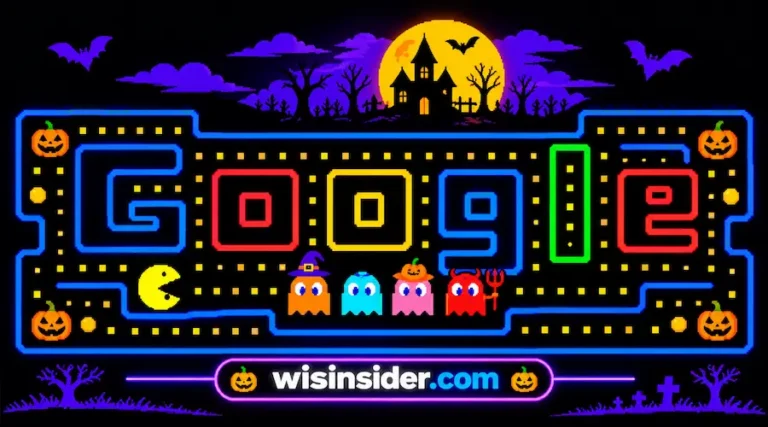
Google made this version for the 30th birthday of Pac-Man on May 21, 2010. The maze even spells the word Google. Click Play, then use the arrow keys to eat the dots.
Avoid the four ghosts: Blinky, Pinky, Inky, and Clyde. Eat a power pellet, and you can chase them instead. The game window can look small, so zoom in your browser if you need to.
Solitaire
Type: solitaire
This is classic Klondike solitaire. You can pick an Easy or a Hard mode. Drag the cards to move them, or click a card to send it to the right spot. There is also an undo button, which helps a lot.
Minesweeper
Type: minesweeper
Pick Easy, Medium, or Hard. Left click a square to dig. Right-click it to place a flag, or long-press on a phone. Each number tells you how many mines touch that square. One wrong click ends the round, so think before you tap.
Tic Tac Toe
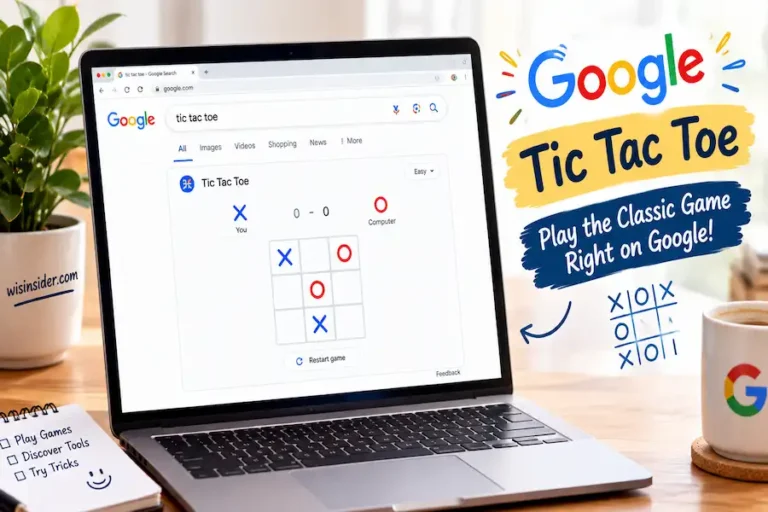
Type: tic tac toe
This game is very old. Some people think it is thousands of years old. In the UK, it is called noughts and crosses.
In Google, you can play against the computer on Easy, Medium, or Impossible. You can also play a friend on the same screen. On Impossible, the best you can hope for is a draw.
Memory Game
Type: memory game
Flip the cards and find the matching pairs. The game is short and simple. As a result, it is a good pick for young kids and for a quick break.
Block Breaker
Type: play snake, then choose Block Breaker in the panel
Block Breaker works like the old Atari Breakout. You move a paddle, bounce a ball, and break all the bricks. Many older lists still send you to Google Images for this game. That trick no longer works, so use the games panel instead.
More games in the games panel
The panel holds more than Snake. A recent guide says it also shows Colour Tiles, Popcorn, and Tic-Tac-Go. Open the panel and try them to see how they work.
Text Adventure
Type: text adventure (in Chrome on a computer)
This one is a real puzzle to unlock. It feels like a game from the 1970s, with words and no pictures. Here is how people start it:
- Open Google in Chrome and search for text adventure.
- Press Ctrl + Shift + I. On a Mac, press Command + Option + I.
- Click the Console tab and type yes.
- Press Enter and follow the story by typing short commands.
Some readers report that this game does not start for them. If so, try an Incognito window. Also, turn off your browser extensions for a moment. If it still fails, it may be gone for good.
Which Google Doodle Games Can You Still Play?
Google Doodle games are some of the best hidden Google games. Each one celebrates a person, a sport, or an event. You can search for the game’s name, or you can browse the Google Doodles archive.
Champion Island Games
Type: champion island games
This is one of the biggest games Google has made. It came out during the Tokyo Olympics. You play as a cat ninja on an island full of sports. You can try several mini-games, meet rival champions, and finish side quests.
The art lead for the Doodle, Nate Swinehart, said the team wanted the world to compete together. The game also teaches a bit about Japanese culture. Plan to spend more than a few minutes here.
Magic Cat Academy
Type: magic cat academy
This Halloween Doodle first came out in 2016. You play a cat who casts spells. Ghosts float toward you, and each one has a symbol above its head. Draw that symbol with your mouse or finger to make the ghost vanish.
The symbols get harder as you move up the levels. Also, you can heal by drawing a heart on the right ghost.
Garden Gnomes
Type: garden gnomes doodle
Google made this game in June 2018 for Garden Day in Germany. You launch gnomes with a catapult and try to send them as far as you can. Different gnomes fly in different ways. Therefore, you can chase a new personal best each time.
Basketball 2012
Type: basketball doodle 2012
This Doodle celebrated the 2012 Summer Games. You have 25 seconds to score. Hold the mouse button or the Space bar to build power, then let go. As the game goes on, you shoot from farther away.
Soccer 2012
Type: soccer doodle 2012
In this game, you are the goalie. The computer fires shots at your goal. Move left and right, and jump to stop the high ones. You face five shots per round, then you can reload and try again.
Doctor Who 50th Anniversary
Type: doctor who doodle
Google made this platform game on November 23, 2013. That was the 50th birthday of the show. You guide the Doctor through levels and look for the G-shaped exit. Along the way, you meet Daleks and Cybermen and see the TARDIS.
Rubik’s Cube
Type: rubik’s cube doodle
Ernő Rubik, a Hungarian professor, invented the Rubik’s Cube in 1974. Google made a 3D cube you can turn with your mouse. It is a nice way to practice without buying a cube.
Cricket Doodle
Type: cricket doodle game
Here you play as a cricket, the insect, and bat against snail bowlers. It is silly, quick, and easy to learn. You do not need to know the rules of the real sport to enjoy it.
Pony Express
Type: pony express doodle
Google made this game for the 155th anniversary of the Pony Express. You steer a horse up and down to collect envelopes. Meanwhile, you must dodge the obstacles on the trail.
Baseball Doodle
Type: baseball doodle
This game first came out around the Fourth of July in 2019. You hit pitches in a silly, snack-filled ballpark. Click or tap to swing. It is a fun, light game for a short break.
Coding for Carrots
Type: coding for carrots
In this game, you guide a rabbit to carrots by snapping code blocks together. As a result, kids learn the basics of programming without any typing. Parents and teachers often like this one.
More Doodle games to try
Google has made many more game Doodles. These are worth a look in the archive:
- Slalom Canoe: use the left and right arrow keys to gain speed and steer past rocks.
- Moog Synthesizer: play a working synth made for the birthday of its inventor, Robert Moog.
- Hip hop Doodle: mix two albums on turntables to honor DJ Kool Herc.
- Crossword Doodle: solve a puzzle made to mark 100 years of crosswords.
- Godzilla Doodle: make a short monster movie to honor Eiji Tsuburaya.
- Jerry Lawson Doodle: honor the engineer who led the team behind the first cartridge-based home game console.
- History of Pizza: follow pizza from ancient Greece to today.
How Do You Play the Chrome Dino Game?
The Chrome dino game is the most famous of all hidden Google games. It is not inside Google Search. Instead, it lives in the Chrome browser. Many people also call it the T-Rex Run or the dinosaur game.
Chrome shows this game when you lose your internet connection. Google built it as a small treat for a frustrating moment. A Chrome design team made it in September 2014: Sébastien Gabriel, Alan Bettes, and Edward Jung. The team also made the chrome://dino page, as they explained in a 2018 Google interview.
How to start the dino game
You have two easy ways to play.
- Turn off your Wi-Fi, then open Chrome and try to visit any site. The dino screen appears.
- Or type chrome://dino into the address bar and press Enter. This works even when you are online.
Then press the Space bar or the Up arrow to begin. On a phone or tablet, tap the screen instead.
Dino game controls
The controls are very simple. Press Space or Up to jump over cacti. Press the Down arrow to duck under the flying pterodactyls. The pterodactyls joined the game in an update around 2015.
The game speeds up as you run. At certain scores, it changes to night mode. Chrome also remembers your best score in that browser. However, it does not save scores to your Google account.
Newer dino tricks: Olympic dino, GenDino, and Dino Pal
The dino has changed over the years. For example, during an Olympics, it ran toward a torch and joined sports events. Then, in 2024, Google released GenDino. With it, you type a prompt and get a new dino game made with AI.
Most recently, the dino returned in 2026. You could unlock a personal pet called Dino Pal in a Google I/O puzzle. You will read more about that below.
Which Hidden Google Games Work in Google Earth, Android and Other Apps?
Some hidden Google games do not live in Search at all. Instead, they hide in apps and settings. Here are the best ones.
Google Earth Flight Simulator
Google Earth has a built-in flight simulator. You can fly a small plane or an F-16 jet over real 3D maps. It is a bit hard at first, so expect a few crashes.
To start it, download Google Earth Pro on Windows, Mac, or Linux. Then open the Tools menu and choose Enter Flight Simulator. A joystick helps, but it is not required. Turn on 3D buildings to see cities in more detail.
Cloud Game in the Google App
This game is easy to miss. First, turn on Airplane mode on your Android phone. Then open the Google app, not Chrome, and search for anything. You will see a cloud picture next to the offline message. Tap it.
You play as a small cloud. Tap the screen to float, and dodge birds and storm clouds. If you liked Flappy Bird, you will like this game.
Android Version Game
Every Android version hides a small game or toy. To find it, open Settings. Then go to About phone and tap the Android version. Keep tapping the logo that appears. After many taps, a mini-game or a fun screen may open.
The exact steps change between phone brands and Android versions. So you may need to look around a little.
Quick, Draw!
In Quick, Draw!, you get 20 seconds to draw an object, such as a kangaroo or a stop sign. An AI tries to guess your drawing while you draw. Your doodles also help train the AI. It is like a Pictionary with a robot.
Santa Tracker
The Google Santa Tracker is most famous at Christmas. However, you can play its mini-games before December. Examples include Elf Jetpack and Gumball Machine. On Christmas Eve, the tracker follows Santa’s trip around the world.
Mahjong FRVR
Google Experiments is a site for creative projects. One of them is a free Mahjong game. Go to Google Experiments, search for Mahjong FRVR, and click Launch Experiment. The levels have no timer, so you can play slowly.
Google Gravity
Google Gravity is more of an experiment than a game. When you start it, the Google page falls apart, and you can throw the pieces around. A developer who goes by Mr.doob made it as a Chrome Experiment, and it lives on his own website. Treat it as a fun toy.
Google Assistant Games
Some tech sites say Google Assistant offers more than 20 voice games. Google has also been moving Assistant features to Gemini. As a result, the list of games can differ from phone to phone. Try asking your assistant to play a game and see what you get.
Which Quick Google Tools Work Like Mini-Games?
A few Google tools are not true games. Still, they are fun, and they settle small arguments fast. Type any of these into Google Search:
- flip a coin: a coin that spins and lands on heads or tails.
- roll a die: pick the type of die you want and roll it.
- spinner: a spinner with numbers you can change.
- random number generator: pick a number between any two values.
- breathing exercise: a calm, guided minute to relax.
- metronome: a working metronome with a tempo you can set.
For example, use the coin for a fair choice with friends. Likewise, use the breathing tool after a stressful game of Minesweeper.
What Are the New Gemini Games From Google I/O 2026?
Google I/O is Google’s yearly developer event. In 2026, it took place on May 19 and 20. Before the event, Google released a Save the Date puzzle with five AI-based games. Each game showed a different way to use Gemini in games.
For instance, Nonogram is a logic puzzle. Its first level is fixed. However, Gemini creates levels two and three fresh each time you play. Another game, Supersonic Bot, is a side-scrolling runner that the team prototyped with Gemini’s help.
If you finished all five games, you unlocked Dino Pal. This was a virtual Chrome dino with a personality. Gemini gave it traits based on how you played. Caio Avelar was one of the people who worked on the project.
Google also put the games in Google AI Studio. There, developers can look at the code and remix the games. You can read more in Google’s official post. Because it was an event promotion, check whether the games are still live before you try them.
Which Hidden Google Games Do Not Work Anymore?
Google adds and removes games from time to time. Some old lists still show games that have changed. Here are the two you will see most.
Atari Breakout in Google Images
In the past, you could type atari breakout into Google Images. The image results turned into bricks, and you played the game. Today, that trick no longer works. Use Block Breaker in the games panel instead.
Zerg Rush
Zerg Rush was a tribute to the game StarCraft. Small Google “o” shapes attacked your search results. You clicked them to destroy them. Sources do not agree on its status. Some say it is gone from Search, and others say it still works in some cases. Therefore, do not count on it.
safety note about mirror sites
Some websites host copies of old Google games. One well-known example is elgoog.im. These sites are not run by Google. They may show ads or ask for permissions.
So be careful. Never download a file to “unlock” a Google game. Also, never enter your Google password on a game site. Stick to Google’s own pages when you can.
Can You Play Hidden Games on Phones, Chromebooks, and at School?
Yes, in most cases. Here is how it works on each type of device.
Phones and tablets
Snake, Solitaire, Minesweeper, Tic Tac Toe, and Doodle games all support touch controls. Pac-Man is easier with a keyboard, though. The dino game works with a tap. Meanwhile, Google Earth Pro, the flight simulator, and the text adventure need a computer.
Chromebooks and computers
Chromebooks run Chrome, so all search games and the dino game work well. Use chrome://dino for the dinosaur. For the text adventure, use the Chrome Console steps above.
School and work computers
Some schools and offices block game pages. That is their choice. If a game is blocked, please follow the rules of your school or workplace. Do not try to get around filters. Instead, play at home or during a break where it is allowed.
Kids and parents
Parents often ask which hidden Google games suit children. The Memory Game, Tic Tac Toe, and Coding for Carrots are simple. They have no chat and no purchases. Sit with younger kids at first, and stay on Google’s own pages instead of mirror sites. Teachers can also use Coding for Carrots as a short, fun intro to code blocks.
Why Is a Hidden Google Game Not Working?
If a game will not load, try these fixes one by one. They solve most problems.
- Check your region and language. Switch Google to English if a game is missing.
- Update Chrome. Old versions can break games.
- Turn off extensions. Ad blockers can stop a game from loading.
- Try Incognito mode. It starts without extensions and old data.
- Clear your cache. Old files can cause errors.
- Try another browser. Test the game in Chrome, Edge, or Firefox.
- Check the Doodle archive. The game may have moved or changed.
Still stuck? The game may simply be gone. Google retires games without much notice, so it is not always your fault.
FAQs
How do I play hidden games on Google?
Type the game’s name into Google Search and click Play. For example, search for snake, pacman, or solitaire. For the dino, type chrome://dino into Chrome. For others, use Google Earth, the Doodle archive, or your phone’s settings.
What are the hidden games on Google Search?
The main ones are Snake, Pac-Man, Solitaire, Minesweeper, Tic Tac Toe, and the Memory Game. You can also play Block Breaker and many Doodle games. Google may change the list at any time.
Are hidden Google games free?
Yes. They are free to play, and you do not need to make an account. However, third-party mirror sites may show ads, so use caution.
Can I play hidden Google games on my phone?
Yes, most of them. Search games and Doodle games work with touch. Some games, like the Earth flight simulator and the text adventure, need a computer.
Can I play hidden Google games offline?
Only the Chrome dino game works offline. All the games in Search need an internet connection to load. The Android cloud game also works offline, but only in Airplane mode.
Are hidden Google games safe for kids?
The games from Google are simple and have no chat or purchases. Coding for Carrots and the Memory Game suit younger kids well. Still, watch out for copycat sites that host the same games with ads.
Does Google save my high score?
Some games, like Snake and the Chrome dino, remember your best score in that browser. However, the scores are not saved to your Google account. If you clear your browser data, they may disappear.
Can I play hidden Google games with a friend?
Yes, for a few of them. Tic Tac Toe has a two-player mode on the same screen. The Pac-Man Doodle also lets a second player join on the same keyboard.
Why did Atari Breakout and Zerg Rush stop working?
Google has not explained each removal. These games were Easter eggs, so Google can change them without notice. Block Breaker is a good replacement for Breakout.
Are hidden Google games available in every country?
Most are. Still, a few depend on your region or language. If one is missing, set Google to English and try again.
What is the best hidden Google game for a quick break?
Snake and Tic Tac Toe are the best picks for a quick break. Both start in seconds and take little time to finish. For a longer break, try Minesweeper or a Doodle game.
Final Thoughts
After comparing all these games, one thing stood out to me. The best hidden Google games are the simplest ones. Snake, Tic Tac Toe, and the Chrome dino start in seconds and need no setup. Bigger games, like Champion Island Games, pay off when you have more time.
My approach to guides like this is simple, check it, date it, and say so when something is unclear. “I have written about Chrome and Google tools for many years. ”Google adds and removes games without warning, so treat this page as a living list.
Start with a snake, try one Doodle game and then go offline to meet the dino. If a game stops working for you, try the fixes above and let me know what you found, so I can update this guide. Which hidden Google game will you try first?