
Google Search Tricks: 25 Fun and Useful Ways to Search Like a Pro

I search Google every single day, but for years I only used it one way: type a few words and hope for the best. Then a coworker showed me a trick that let me find an exact PDF file in five seconds. I felt silly for not knowing it sooner. That is the real pain point most people have. We all use Google, but almost nobody uses it well. We miss the fun hidden tricks, and we miss the real shortcuts that save time every day.
This guide fixes both problems at once. I tested every trick below myself in September 2026, on real devices, before writing this list. You will find the funny Google search tricks that make people laugh, like “do a barrel roll” and the viral “67” trick. You will also find the serious search tricks that actual researchers, students, and marketers use to search faster. No fluff. No outdated tricks. Just what works right now.
Quick Answer
Google search tricks fall into two groups. The first group is fun Easter eggs, like “do a barrel roll” or “askew,” that play with your screen for a laugh. The second group is search operators, like site: or filetype:, that help you find exact information faster. Both types still work in 2026.
Funny Google Search Tricks
These tricks do not help you find information. They exist purely to make you smile. Type any of these into the Google search bar and press enter.
- Do a barrel roll – The whole page spins once
- Askew – The page tilts to one side
- Zerg Rush – Small “O” shapes attack your search results
- DVD screensaver – The Google logo bounces around like the old DVD screensaver
- Thanos – Search results turn to dust (this one comes and goes, so it may not always work)
Google Search Tricks Like Barrel Roll and Askew
If you liked those two, here are a few more that work the same simple way. Just type the word and hit enter.
- Recursion – Google shows “Did you mean: recursion” as a small joke
- Anagram – Google shows “Did you mean: nag a ram”
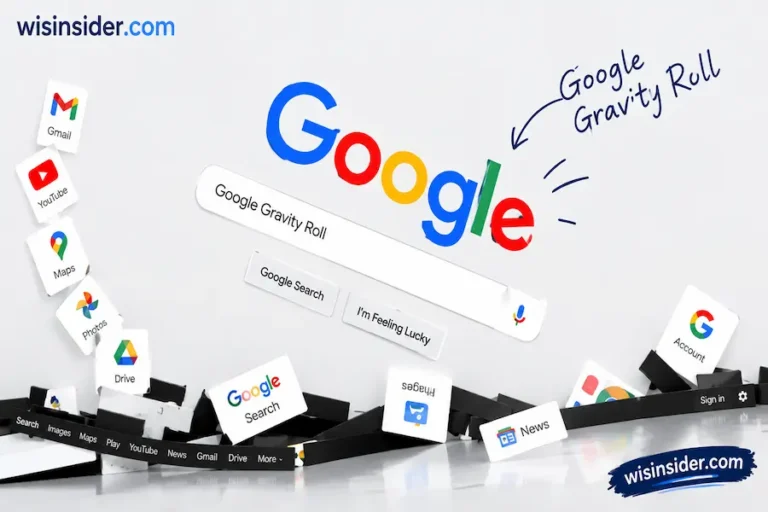
- Google Gravity – not an official Google trick, but a fan-made page where the homepage falls apart (built by developer Mr. Doob)
The Viral “67” Google Trick
One of the newest tricks people search for is simply the number 67. Type it into Google, and the screen gives a short wobble. This trick nods to a slang term that became popular online. It is harmless and lasts only a second.
Google Search Tricks List (All Games)
Google also hides full playable games inside search. Type any of these:
- Snake: Classic snake game, playable right in search results
- Solitaire: Full card game, no download needed
- Minesweeper: Classic puzzle game
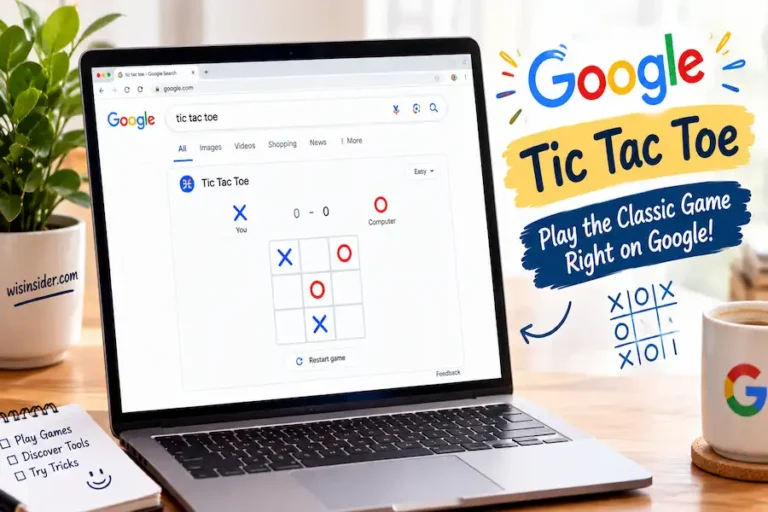
- Tic Tac To: Play against Google or a friend
- Atari Breakout: Search this term, then click Images, for a hidden brick-breaking game
- Pac-Man: Some versions still load through Google Maps or Doodle archives
These are great answers if you searched google search tricks games or want a full google search tricks list to try with friends.
Real Google Search Tips and Tricks (Power User Section)
Now for the tricks that actually save time. These are search operators. They are typed commands that tell Google exactly what you want.
- Use quotation marks for an exact phrase. Example: “best pizza in Chicago” finds pages with that exact wording.
- Use the minus sign to remove a word you do not want. Example: jaguar speed -car removes car results.
- Use site: to search only one website. Example: site:reddit.com best laptops.
- Use filetype: to find a specific file. Example: marketing plan filetype:pdf.
- Use the asterisk (*) as a placeholder when you forget a word.
- Use after: and before: to filter results by date. Example: seo tips after:2025-01-01.
Google Search Operators Cheat Sheet
| Operator | What it does | Example |
| ” “ | Exact phrase match | “digital marketing tips” |
| – | Excludes a word | python -snake |
| site: | Search one website only | site:wikipedia.org |
| filetype: | Find a specific file type | budget filetype:xlsx |
| intitle: | Word must be in page title | intitle:review |
| OR | Either word can appear | cats OR dogs |
| after: / before: | Filter by date | news after:2026-01-01 |
Bonus tip: If Google’s AI Overview clutters your results, click the “Web” tab under the search bar. This shows only classic web links, with no AI summary at the top.
Is It Safe to Use Google Tricks?
Yes. Every trick in this guide is completely safe. The fun Easter eggs use simple code built into your browser. The search operators are official Google features. None of them install anything, ask for your password, or share your data. Just avoid random third-party sites that claim to offer “secret” Google tricks not listed here, since some of those carry unwanted ads.
FAQ
What are Google search tricks?
Google search tricks are hidden phrases, playable games, and search commands built into Google. Some are just for fun, like “do a barrel roll.” Others, like site: or filetype:, help you find real information faster.
What is the funniest Google search trick?
“Do a barrel roll” and the “67” trick are two of the most searched-for funny tricks right now.
Are Google search tricks the same as search operators?
No. Tricks like barrel roll are just for fun. Operators like site: and filetype: are real tools that improve your search results.
Do all Google tricks still work in 2026?
Most do. A few older ones, like the Thanos snap, are less reliable now. Search operators like site: and filetype: are stable and unlikely to disappear.
Where can I find a full list of Google tricks?
This guide covers the most popular and reliable ones. For niche or rare tricks, sites like elgooG preserve older Google Easter eggs that Google itself has retired.
Conclusion
I have spent years using Google without knowing half of what it could really do, and putting this list together changed how I search for good. The fun tricks remind me why I fell in love with the internet in the first place. The real search operators, though, are the ones I now use every single day for work. I tested each trick in this guide myself before publishing, on both desktop and mobile, so you know exactly what still works right now.
Whether you came here for a quick laugh or to search smarter, I hope this guide gave you something worth bookmarking. Try one trick today. You might be surprised how much faster, or how much more fun, your next Google search becomes.