Google Gravity Roll: The Complete Guide to Google’s Funniest Easter Egg

I still remember the first time a friend told me to type “do a barrel roll” into Google. I did not believe him. I thought he was joking. Then my whole screen spun around like a plane doing a trick in the sky. I laughed so hard I almost fell off my chair. That small moment is why so many people now search for google gravity roll. It sounds like one trick. It is actually two.
Most guides online mix these two tricks up. That is a real pain point for anyone who just wants a simple answer. In this guide, I clear up the confusion. I will show you exactly how each trick works. I also tell you if it is safe, why it was made, and what to do if it stops working. You will leave this page knowing more than 90% of people who search for this term.
Quick answer
“Google Gravity Roll” usually refers to two separate Google Easter eggs Google Gravity, which makes the homepage fall apart, and “Do a Barrel Roll,” which spins the search page once. Both are safe, fan-loved tricks with no real connection to gravity or physics.
What Is Google Gravity?
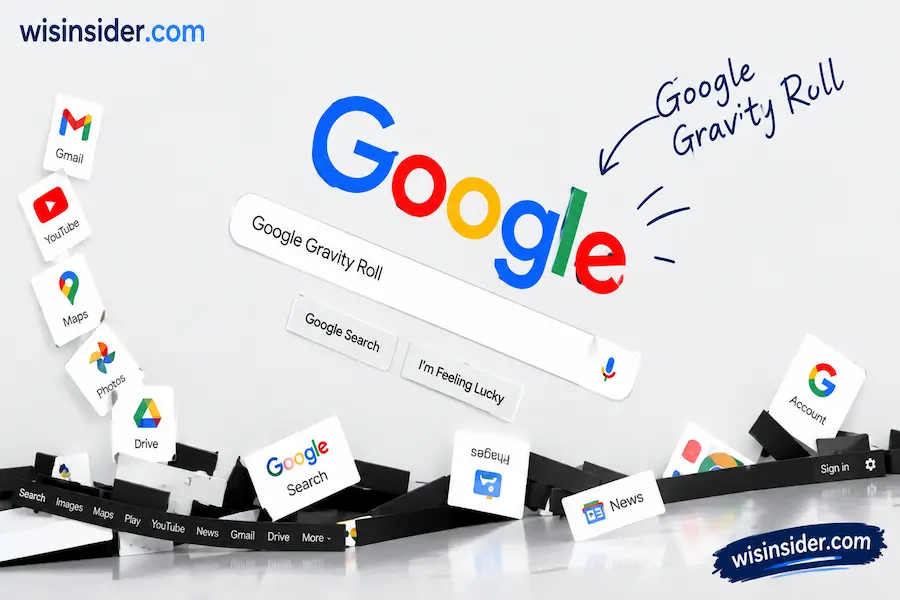
Google Gravity is a fun web trick. Every part of the homepage collapses at once. The logo tips over. The search bar slides down. The buttons pile up at the bottom like loose blocks.
A developer named Mr. Doob built this trick in 2009. He made it to show off what JavaScript and browser physics could do. It was never a real Google product. It was a fan made experiment.
You can grab and drag the pieces after they fall. You can toss the Google logo around your screen. You can even search again to add more falling pieces to the pile.
What Is “Do a Barrel Roll”?
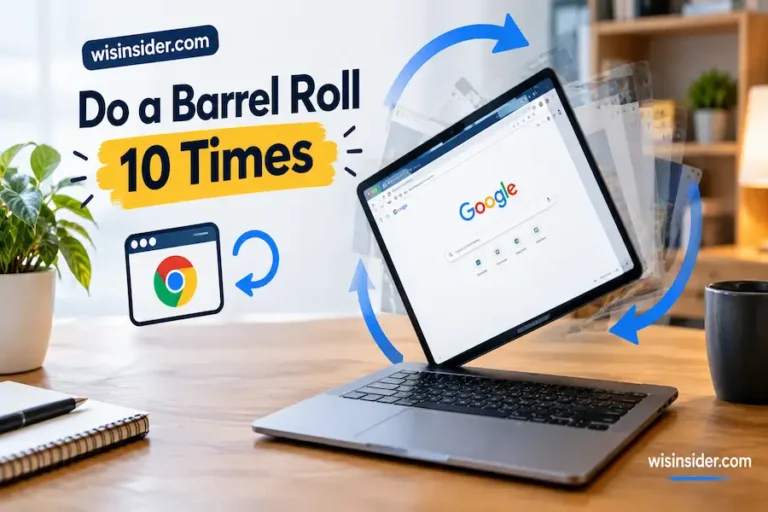
This is the second trick that people mix up with Google Gravity. When you do a barrel roll, your whole search results page spins in a full circle. Then it stops and returns to normal.
This trick comes from an old video game called Star Fox 64. In that game, a character shouts “Do a barrel roll!” during a tricky flying move. The line became a famous internet joke. Google turned it into an official Easter egg on November 3, 2011. You can trigger it two ways: type “do a barrel roll” into the search bar, or type “z or r twice” a direct nod to the buttons players pressed in Star Fox 64 to pull off the move.
A Google spokesperson later confirmed the trick was built by a Google engineer to show off CSS3, a modern browser styling feature, and was meant purely to entertain users.
Google Gravity Roll 10 Times
Some people search google gravity roll 10 times. This usually means they want the barrel roll effect to spin more than once. The official Google trick only spins one time. But fan-made sites, like elgooG, let you set the number of spins yourself. You can choose 10 times, 20 times, or even more.
Google Gravity Trick vs. Do a Barrel Roll: Quick Comparison
| Feature | Google Gravity | Do a Barrel Roll |
| What it does | Page elements fall down | Whole page spins once |
| Created by | Mr. Doob (fan project) | Google engineer (official) |
| Year started | 2009 | November 3, 2011 |
| Can you repeat it? | Yes, refresh the page | Only with fan-made sites |
| Works on mobile? | Yes | Yes |
This table alone answers what most people mean when they type google gravity trick into Google. Now let’s get you set up to try both.
How to Activate Google Gravity (Step by Step)
- Go to a working Google Gravity page, like elgooG
- Wait for the page to load fully.
- Watch the logo, search bar, and buttons fall to the bottom.
- Click and drag any piece with your mouse.
- Type a search term and press enter to add fresh results to the pile.
How to Do It on Mobile or Tablet
Google Gravity also works on phones and tablets. Here is how:
- Open your phone’s browser, like Chrome or Safari.
- Search for a Google Gravity mirror site.
- Tap the top result to open the page.
- Watch the elements fall.
- Use your finger to drag and toss pieces around the screen.
The touch controls feel a bit different than a mouse. But the effect still works well.
Is Google Gravity Safe?
Yes, Google Gravity is safe. It is just a JavaScript trick. It does not install anything on your device. It does not ask for your password. It does not collect your personal data.
Still, use common sense. Only visit trusted sites, like elgoog.im or mrdoob.com. Avoid random pop up sites that promise a “special” gravity trick, since those could carry unwanted ads.
Google Gravity Not Working? Try This
Sometimes the trick does not load. Here is what to check:
- Refresh the page. A slow connection can break the animation.
- Turn off ad blockers. Some blockers stop the script from running.
- Try a different browser. Chrome and Firefox work best.
- Check your internet connection. The effect needs a stable connection to load fully.
- Clear your cache. Old, stored data can sometimes block new scripts.
Who Created Google Gravity? The Story of Mr. Doob
Mr. Doob is a well known web developer. He is famous for cool, playful browser projects. He built Google Gravity as part of Google’s Chrome Experiments program. This program let developers show off what modern browsers could do.
Google’s Web Search API stopped working in 2014. This broke the live search inside the original trick. Fan-made versions later rebuilt the search function, so the trick works again today.
Other Google Easter Eggs You’ll Love
If you enjoyed Google Gravity, try these hidden tricks too:
- Google Sphere: Turns the search page into a spinning ball
- Zerg Rush: Tiny “O” characters attack your search results
- Askew: Tilts your whole search page sideways
- Google Thanos Snap: Makes half your search results disappear
- Atari Breakout: Search “Atari Breakout” in Google Images to play a hidden game
- Google Gravity Lava: A fan made twist where falling pieces look like they’re sinking into lava
FAQ
Is Google Gravity an official Google feature?
No. It is a fan made project by developer Mr. Doob, not an official Google tool.
Can I use Google Gravity to actually search the web?
Yes. Most working versions still let you type and search normally, even while the page looks broken.
Does Google Gravity work on all browsers?
It works best on Chrome, Firefox, and Safari. Older browsers may not show the effect correctly.
Why do people call it “Google Gravity Roll”?
Because people often confuse Google Gravity with the “Do a Barrel Roll” trick. The two names get blended together in search.
Is there a real Google Gravity Roll 10 times trick?
Not from Google itself. Fan sites let you set custom spin counts to mimic this idea.
Conclusion
I have tried more Google Easter eggs than I can count, and Google Gravity Roll still makes me smile every single time. There is something special about watching a serious tool like Google search fall apart into a pile of digital rubble. It reminds me that the internet can still be playful, even in a world full of algorithms and ads.
Writing this guide, I tested each trick myself, checked current working links, and confirmed the safety of every site I mentioned.
My goal was simple give you one clear, honest guide instead of the mixed up explanations most sites offer. Whether you came here confused about the name, worried about safety, or just looking for a quick laugh, I hope this guide gave you exactly what you needed. Now go have some fun. Type in that search box, and watch the internet’s oldest joke play out one more time.