Google Tic Tac Toe: How to Play, Win, and Fix It When It Won’t Load

Last month, I sat in a two hour line at the DMV. My phone battery was at 4%. I didn’t want to waste it scrolling social media. So I typed one simple search ” Google tic tac toe.” In two seconds, a full game popped right into my search results. No app. No download. No sign up form. I played five rounds before my number got called.
That small moment made me curious. How long has this game been hiding inside Google Search? Why does it always end in a draw against the hardest AI setting? And why does it disappear for some people but not others? I tested it across three browsers two phones, and every difficulty level to find out. This guide covers everything I learned how to open the game, how to beat (or at least tie) the AI and how to fix it if it won’t load for you.
Quick Answer
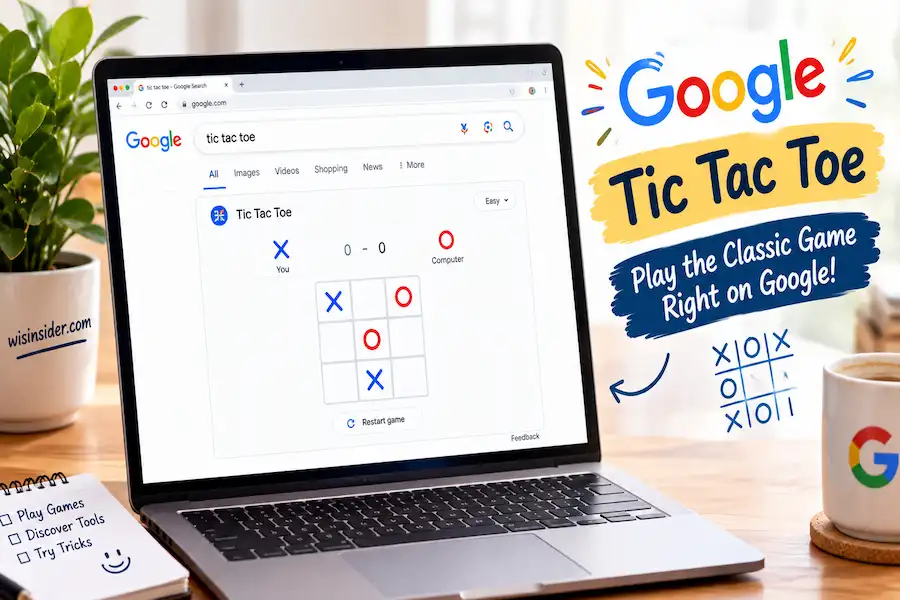
Type “tic tac toe” into Google Search on any browser or phone. A playable 3×3 grid shows up right inside your search results no extra click needed. You can play against Google’s AI or a friend on the same screen.
What Is Google’s Built In Tic Tac Toe Game?
Google added this game directly to Search in August 2016. It launched alongside another hidden game called Solitaire. Both games run right inside the search results page. You don’t need to visit a separate app or website.
The game uses the classic rules. Two players take turns. Each one marks a box with an X or an O. The first to get three marks in a row wins. If the grid fills up with no winner, the game ends in a draw.
Quick Facts
| Launched | August 2016, alongside Solitaire |
| Difficulty levels | 3 (Easy, Medium, Impossible) |
| Multiplayer type | Same device only, not remote |
| Cost | Free, no app or account needed |
| Works on | Any modern browser, mobile or desktop |
How to Play Google Tic Tac Toe (Step by Step)
- Open your browser (Chrome, Safari, Firefox, or Edge all work).
- Go to Google.com or open the Google app.
- Type “tic tac toe” in the search bar.
- Press Enter or tap Search.
- A game card will appear at the top of the results.
- Choose to play against the computer or a friend.
- Pick X or O, then tap a square to make your move.
The game works the same way on mobile and desktop. On mobile, you just tap the squares. On desktop, you click them.
Difficulty Levels Explained: Easy, Medium, and Impossible
Google’s Tic Tac Toe gives you three AI settings.
- Easy The AI makes random or weak moves. Good for kids or beginners.
- Medium The AI blocks some of your moves but still makes mistakes.
- Impossible The AI plays a perfect game every time.
At the Impossible level, the AI never makes a wrong move. If you also play perfectly, the game will always end in a draw. This isn’t a bug. Tic tac toe is what experts call a “solved game.” That means with perfect play from both sides, no one can ever win.
How Does Google Build This Into Search?
Google’s tic tac toe runs on simple web code, not a downloaded app. It works right inside the search results page using standard browser technology. At the Impossible setting, the AI is widely believed to use a strategy similar to the “minimax” method a way of checking every possible move to always pick the safest one. That’s why it never loses.
How to Win at Every Difficulty (Strategy Tips)
You can’t truly “beat” Impossible mode. But you can force a draw every time, and you can win easily on Easy or Medium. Here’s how:
- Take the center square first. It gives you the most ways to win.
- Block your opponent’s two-in-a-row. Always stop them before they get three.
- Use the corners. Corners create more winning lines than edge squares.
- Watch for double threats. Sometimes one move blocks your opponent and sets up your own win at the same time.
- Go second? Play a corner. This is the strongest reply if the AI takes the center.
These simple habits will win most games on Easy and Medium. On Impossible, they’ll guarantee you a draw instead of a loss.
Can You Play With a Friend? (Local vs. Online Multiplayer)
Here’s something many guides don’t explain clearly. Google’s version supports two players on the same device only. You and a friend take turns tapping the same screen. It is not a remote online multiplayer game. You can’t send a link to a friend across the country and play them live. No app, download, or account is required at any point everything runs inside the browser.
If you want true remote online multiplayer, you’ll need a separate app or website built for that. Google’s built in version is best for two people sitting next to each other, not two people in different cities.
Why Isn’t Tic Tac Toe Showing Up on Google? (Troubleshooting)
If the game card doesn’t appear, try these fixes:
- Check your browser. The game works best on Chrome, Firefox, Safari, and Edge.
- Turn off browser extensions. Ad blockers or privacy extensions can sometimes prevent interactive search cards from loading.
- Update your browser. Old browser versions may not support the game card.
- Try a private/incognito window. This rules out browser extensions causing the issue.
- Switch between mobile and desktop. If it fails on one, try the other.
- Check your search wording. Try “tic tac toe game” or “play tic tac toe” instead.
Other Hidden Games You Can Play on Google Search
Tic tac toe isn’t the only game hiding inside Google Search. Try searching these too:
- Solitaire — A full card game right in your results.
- Snake — The classic mobile phone game.
- Pac Man — A short playable version of the arcade classic.
- Minesweeper — Reveal safe squares and avoid the mines.
These are often called “Google Search games” or “Google Easter eggs.” They all work the same simple way just search the name and play.
FAQs
Is tic tac toe the same as noughts and crosses?
Yes. “Noughts and crosses” is the British name for the same game. The rules don’t change.
Is tic tac toe a solved game?
Yes. With perfect play from both sides, the game always ends in a draw. No player can force a win.
Does Google save my score?
The game keeps a simple score while you play, though exact score-saving behavior can vary by device and browser.
Is it safe for kids to play?
Yes. There are no ads, no downloads, and no external links. It’s a simple, safe way for kids to practice strategy.
Does it work without internet?
No. Since the game loads inside Google Search results, you need an active internet connection to play.
Conclusion
After testing every difficulty setting and browser combination for this guide, one thing became clear to me: google tic tac toe proves that small features can still deliver real value. It isn’t flashy. It has no ads and no clutter. It just works, right inside your search bar, the moment you need a two-minute break. I still open it during long waits, slow meetings, or when I want to show my nephew how “unbeatable” AI actually plays.
If you run into any hiccups along the way, the fixes above should get you back to playing in seconds. So go ahead search “Google Tic Tac Toe,” pick your side, and see if you can force a draw against Impossible mode.