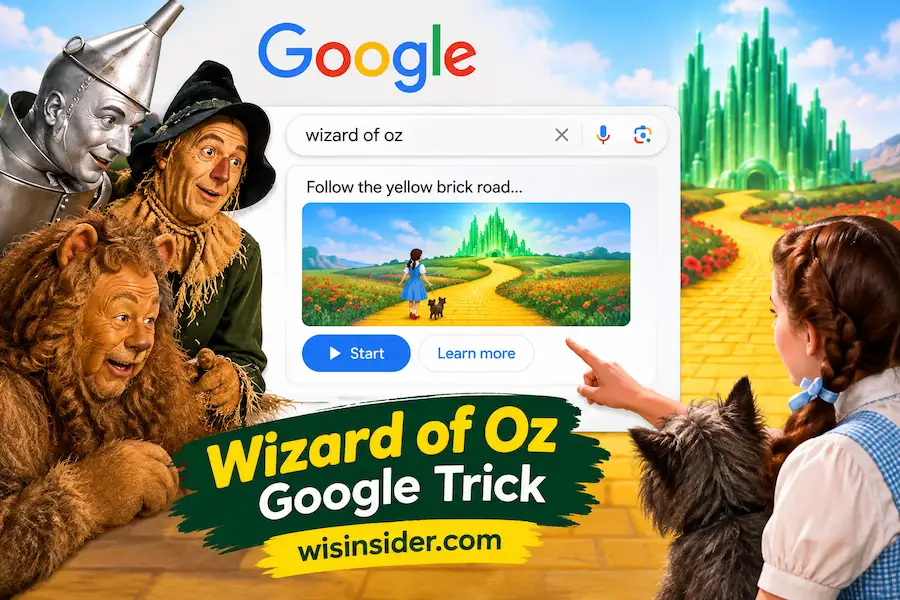
Wizard of Oz Google Trick: How to Find the Google Easter Egg

The Wizard of Oz Google Trick was a fun Google Search Easter egg based on the classic 1939 movie The Wizard of Oz. When the feature was active, searching for the movie showed a pair of ruby slippers in the movie’s Knowledge Panel. Clicking them started a tornado animation, played movie-related audio, and changed the look of the search page.
Google introduced the Easter egg in August 2019 to celebrate the movie’s 80th anniversary. The original experience included the ruby slippers, a tornado effect, audio from the film, and a temporary monochrome or sepia-style search page.
The original Google feature is not reliably available to everyone in 2026. Some current sources describe it as retired, while others say its current availability is unconfirmed. This guide explains how the original Wizard of Oz Google Trick worked, what happened when users clicked the ruby slippers, and how to understand its current status.
What Is the Wizard of Oz Google Trick?
The Wizard of Oz Google Trick was an interactive Google Easter egg connected to the 1939 film The Wizard of Oz, starring Judy Garland as Dorothy.
When the Easter egg was active, users could search Google for Wizard of Oz or The Wizard of Oz. A pair of ruby slippers appeared in the movie’s Knowledge Panel.
The ruby slippers were the interactive starting point. When users clicked them, the Google Search page began to spin like a tornado. A short audio clip from the movie also played. The page then changed to a black and white or sepia-style appearance.
The effect was based on famous parts of Dorothy’s journey in the movie. The ruby slippers, tornado, Kansas-style colors, and return animation all connected the Google Search experience to The Wizard of Oz.
How to Do the Wizard of Oz Google Trick
These steps describe how the original Google Easter egg worked.
- Open Google Search.
- Search for Wizard of Oz or The Wizard of Oz.
- Find the movie’s Knowledge Panel or information card.
- Look for the ruby slippers.
- Click or tap the ruby slippers if they appear.
- Watch the search page spin like a tornado.
- Listen for the movie related audio.
- Wait for the page to change to its themed appearance.
- Click the tornado icon to reverse the effect if it appears.
On desktop, the Knowledge Panel was normally shown on the right side of the search results. On mobile, the movie information can appear near the top of the results page.
The important point is that these steps describe the original Google feature. The ruby slippers may not appear in current Google Search because the Easter egg is not confirmed as universally available in 2026.
What Happens When You Click the Ruby Slippers?
The ruby slippers were the interactive trigger for the original Easter egg.
After clicking them, the page started to spin like Dorothy’s tornado scene. Movie-related audio played, including Judy Garland’s famous line, “There’s no place like home.” The search results then changed to a monochrome or sepia style look.
The page itself was being animated. Google did not send users to another website or change their browser settings.
After the first animation, a tornado icon appeared. Clicking the tornado started the return effect and brought the search page back toward its normal appearance.
The effect was short, but it used several recognizable parts of the movie:
- Ruby slippers
- Dorothy’s voice
- Tornado animation
- Kansas-style sepia coloring
- The return to normal Google Search
How Do You Return Google Search to Normal?
In the original version, the ruby slippers changed into a tornado icon after the first animation.
Clicking the tornado started another animation. The page spun again and returned to its normal color and layout.
This made the Easter egg interactive in both directions. The ruby slippers started the themed effect, while the tornado helped return Google Search to normal.
Why the Trick Sometimes Does Not Work Anymore
If you search for Wizard of Oz today and do not see the ruby slippers, you may not be doing anything wrong.
Google Search Easter eggs can be temporary. They can also change based on device, browser, region, or Search interface.
The original Wizard of Oz Easter egg was launched as an 80th-anniversary feature in 2019. Some current sources say the official version was removed after its promotional period, while another 2026 source says its present availability is not confirmed.
For that reason, it is better to say that the original feature is not reliably available today rather than claim that every Google user has the same experience.
Possible reasons the effect may not appear include:
- Google has changed the Search layout.
- The Easter egg is not currently being shown.
- The Knowledge Panel is different on your device.
- Your browser or extensions are blocking parts of the animation.
- You are using a different Google Search environment.
- The original feature has been retired for your region or platform.
How to See the Wizard of Oz Google Trick Today in 2026
The original Google Search version should not be confused with third-party recreations.
Some websites have recreated older Google Easter eggs so people can experience them after the original features are no longer available. Software Eggs, for example, describes a recreated version of the Wizard of Oz experience for users who want to see the old ruby-slippers and tornado effect.
This creates an important difference:
| Original Google Easter Egg | Third Party Recreation |
|---|---|
| Created for Google Search | Created by another website |
| Appeared in Google Search | Runs on a separate website |
| Launched in 2019 | Recreates the older experience |
| Official Google feature | Not an official Google Search feature |
So, if you find a working Wizard of Oz trick on another website in 2026, do not automatically assume that Google has restored the original Easter egg.
Did the Easter Egg Work on Phones?
The original Wizard of Oz Easter egg was reported to work on both desktop and mobile web Search.
The basic process was similar. Users searched for the movie and looked for the interactive ruby slippers in the movie information area.
However, today’s Google Search layout can be different on phones. The Knowledge Panel may appear near the top of the page instead of on the right side.
If you are checking the trick on an iPhone or Android phone, try Google Search in a normal browser as well as the Google app. If the ruby slippers do not appear, the feature may simply not be available in your current Search environment.
Why Did Google Make This Trick?
Google created the Wizard of Oz Easter egg to celebrate the 80th anniversary of the 1939 film.
The feature launched in August 2019. The original movie was released on August 25, 1939.
The Easter egg used several visual details from the film. The ruby slippers represented Dorothy’s famous shoes. The tornado represented the cyclone that takes Dorothy away from Kansas. The color change also reflected the movie’s famous visual style.
It was not designed as a useful Google Search tool. It was a small interactive tribute to a famous movie.
Why Did the Design Fit The Wizard of Oz?
The design was closely connected to the story.
The ruby slippers were one of the most recognizable objects from the movie. They were also used as the button that started the Google animation.
The tornado represented the cyclone that carries Dorothy away from Kansas.
The sepia or monochrome appearance reflected the Kansas scenes from the classic film.
The return animation then brought the search page back toward its normal appearance.
These details made the Easter egg more than a simple image. Google turned the Search results page into a short interactive reference to Dorothy’s journey.
What Should You Check If the Effect Does Not Appear?
Start with the simple search:
Wizard of Oz
You can also try:
The Wizard of Oz
Then check the movie information area for the ruby slippers or another interactive icon.
If you do not see them, try these basic checks:
- Refresh the Google results page.
- Try a desktop browser.
- Try Google Search on a mobile browser.
- Open the search in an incognito or private window.
- Temporarily disable extensions that heavily change search results.
- Make sure JavaScript is enabled.
- Try a different browser.
These steps can help rule out browser or page loading problems.
However, if the ruby slippers still do not appear, the simplest explanation may be that the original Easter egg is not currently available. Current sources do not establish universal 2026 availability.
Tips for Trying It on Desktop and Mobile
If the Easter egg is available, use the main Google Search page and search for the simple movie title.
On desktop, check the Knowledge Panel on the right side of the results. On mobile, look near the top of the search results for the movie information card.
You can also try a few simple troubleshooting steps:
- Use an updated browser.
- Try Chrome, Safari, Firefox, or Edge.
- Use an incognito or private window.
- Check both desktop and mobile.
- Temporarily disable aggressive script or content blockers.
- Try Wizard of Oz instead of a longer search phrase.
Keep in mind that Google can change its Search interface at any time. An old screenshot or video may show an interface that looks different from what you see today.
Other Cool Google Easter Eggs to Try
The Wizard of Oz Google Trick is only one example of Google’s Search Easter eggs.
Other well-known Google tricks include:
- Do a Barrel Roll
- Askew
- Google in 1998
- Blink HTML
- Zerg Rush
- Thanos
Some Google Easter eggs are permanent, while others are temporary promotions. Availability can change over time.
This makes Google Easter eggs interesting to explore, but it also means that an old trick may not work exactly as it did when it was first launched.
FAQs
Does the Wizard of Oz Google Trick Still Work in 2026?
The original Google Easter egg is not confirmed as universally available in 2026. Current sources differ on its status. If the ruby slippers do not appear when you search for Wizard of Oz, the original feature may no longer be active in your Search environment.
Why Was the Easter Egg Removed?
The Easter egg was created as an 80th anniversary feature for The Wizard of Oz. Current sources report that the original version was eventually removed, but there is not a clearly documented official Google retirement announcement establishing one exact removal date.
What Happens When You Click the Ruby Slippers?
The original effect started a tornado-style animation. Movie-related audio played, and the search page changed to a monochrome or sepia-style appearance. A tornado icon then appeared and could be used to reverse the effect.
How Do I Find the Wizard of Oz Easter Egg on Google?
Search for Wizard of Oz or The Wizard of Oz. Then look for the movie Knowledge Panel or information card. If the original Easter egg is available, the ruby slippers may appear as an interactive icon.
Does the Trick Work on Phones and Tablets?
The original Easter egg was reported to work on mobile web as well as desktop. However, current availability can vary. Try both a mobile browser and the Google app if you want to check whether the feature appears on your device.
Is There Another Wizard of Oz Google Trick?
Third party websites have recreated the original experience. These recreations can let users see the ruby slippers and tornado animation, but they are different from Google’s original Search Easter egg.
Final Thoughts
The Wizard of Oz Google Trick was a creative Google Easter egg made for the 80th anniversary of the classic 1939 movie. The ruby slippers started the experience, the page spun like a tornado, movie audio played, and the Search page changed its appearance.
The original Google feature is not reliably confirmed as available to everyone in 2026. If you do not see the ruby slippers, try a different browser or device, but remember that Google can retire or change its Easter eggs.
If you want to see how the original experience looked, a reputable recreation or archived demonstration can help. Just remember that a third-party recreation is not the same as Google’s original Search feature.