
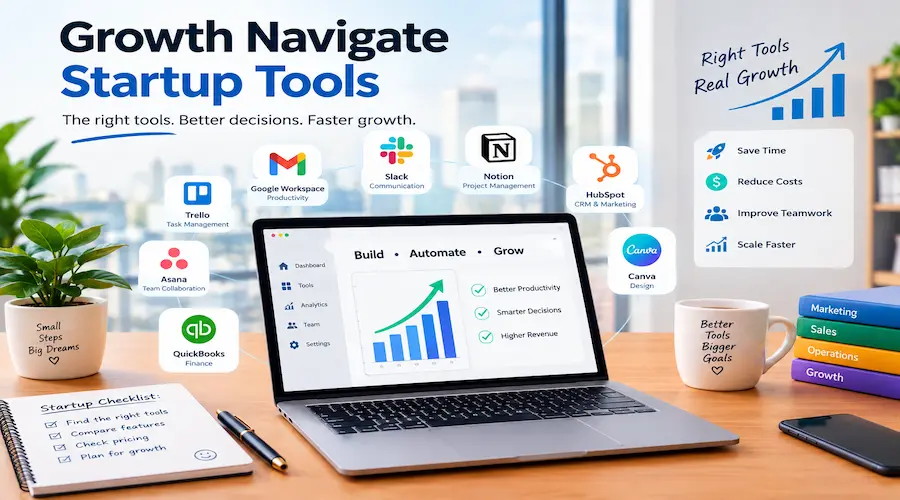
Growth Navigate Startup Tools: Find the Best Tools for Your Startup

Imagine running a startup with five people, a limited budget, and a growing list of customers. Leads arrive through your website. Customer questions sit in email inboxes. Your team tracks projects in spreadsheets, while invoices wait for approval. You are busy every day, but it is difficult to see whether the business is actually growing.
This is where growth navigate startup tools become useful. The right combination of software can help you organize leads, understand customer behavior, automate repetitive work, and manage cash flow. However, buying more software is not the same as building a better business. The real goal is to choose tools that solve clear problems without creating extra work.
This guide explains how to choose the best startup tools, compare growth software, understand growth tools pricing, and build a practical system for business growth. You will also learn how to approach startup funding, avoid common technology mistakes, and decide when a paid tool is worth the cost.
What Does Growth Navigate Mean for Startups?
The phrase growth navigate can describe the process of helping a business move from its current position toward sustainable growth. It involves setting goals, understanding customers, choosing useful technology, and measuring progress.
It should not automatically be treated as the name of a specific software company or platform. If you are researching a product called Growth Navigate, confirm its official website, features, ownership, and pricing before purchasing anything.
For most founders, growth navigation starts with three questions:
- Where is the business losing time or money?
- Which activities can improve sales, customer retention, or delivery?
- What information is needed to make better decisions?
Consider a small online store. Its owner may need inventory tracking, email marketing, customer support, and sales analytics. A freelance agency may need a customer relationship management system, project management, invoicing, and time tracking. A software startup may prioritize product analytics, error monitoring, customer feedback, and subscription billing.
The best system depends on the business model. A tool that works well for a software company may be unnecessary for a local service business.
The key principle: choose technology to support a business strategy, not to replace one.
Why Do Startups Need Growth Tools?
Early-stage companies usually operate with limited staff and money. Founders often manage sales, marketing, customer service, and operations at the same time. A few well-selected tools can reduce this pressure.
Keep customer information organized
A customer relationship management platform, commonly called a CRM, stores contact details, conversations, sales opportunities, and follow-up tasks in one place.
For example, a small agency might receive 40 inquiries in a month. Without a central system, some leads may be forgotten. A CRM can show which prospects need a reply, which have received proposals, and which have become customers.
Reduce repetitive work
Automation tools can connect forms, email platforms, spreadsheets, and project systems. When a customer completes a form, an automation might create a contact record and notify the appropriate team member.
This is useful when a task happens repeatedly and follows predictable rules. It is less useful when every case requires complex human judgment.
Make decisions using evidence
Analytics software helps founders understand where visitors come from, which pages attract attention, and where users leave a process.
A high number of website visits does not necessarily mean a successful business. If 2,000 visitors generate only two qualified inquiries, the next step is to investigate the offer, audience, page experience, and conversion process.
Support growth without adding unnecessary complexity
A startup can often handle its first customers using simple systems. As sales increase, manual processes become harder to manage. Good tools create a repeatable way to handle that growth.
However, software cannot fix every problem. If customers do not want the product, a more advanced CRM will not create demand. Validate the offer before investing heavily in a technology stack.
What Are the Best Startup Tools for Business Growth?
There is no single winner for every startup. The following options cover common needs, but features and prices should be checked on each provider’s official website before you subscribe.
HubSpot for CRM and customer management
HubSpot offers CRM features and products for marketing, sales, customer service, and reporting.
Best for: startups that want customer information and sales activity in a central system.
Advantages: it can help organize contacts, manage deal stages, and keep track of customer interactions. Its free CRM offering can be a useful starting point for eligible users.
Limitations: advanced features, additional hubs, and growing contact or user requirements can increase costs. Some businesses may find the platform larger than they need.
Example: a web design agency can track a lead from the first inquiry to the proposal, project handoff, and follow-up.
Official website: https://www.hubspot.com/
Click Up for project and task management
ClickUp supports task management, project planning, documentation, and team collaboration.
Best for: small teams managing several projects or clients.
Advantages: tasks, deadlines, and project information can be organized in a shared workspace. This helps team members understand responsibilities and progress.
Limitations: the number of views, settings, and features can overwhelm a small team. Too many custom workflows may make the system harder to maintain.
Example: a content team can assign keyword research, article writing, editing, and publishing as separate tasks with owners and deadlines.
Official website: https://clickup.com/
Notion for documentation and startup planning
Notion combines documents, databases, notes, and project organization in a flexible workspace.
Best for: founders who need a knowledge base, operating procedures, meeting notes, and planning documents.
Advantages: teams can keep important information together and create reusable templates. It is useful for documenting processes before hiring more staff.
Limitations: flexibility can become a weakness. A complicated workspace may take more time to maintain than a simple folder structure.
Example: a startup can document its customer onboarding process so that each new customer receives consistent support.
Official website: https://www.notion.so/
Google Analytics 4 for website measurement
Google Analytics 4 helps website owners understand user activity and conversions when tracking is configured correctly.
Best for: startups with a website, online store, or digital lead-generation process.
Advantages: it can help identify traffic sources, landing-page performance, and important user actions.
Limitations: setup and reporting can be confusing. Poor event configuration or consent implementation can produce incomplete or misleading data.
Example: a service business can measure how many visitors submit a quote request after reading a service page.
Official website: https://analytics.google.com/
Google Search Console for organic search performance
Google Search Console helps website owners monitor search visibility, queries, clicks, indexing, and certain technical issues.
Best for: startups that depend on organic search traffic.
Advantages: it provides direct information about how a site performs in Google Search. It is especially useful for finding queries with impressions but few clicks.
Limitations: it is not a full keyword research or backlink analysis platform. It also does not guarantee that a submitted URL will be indexed.
Example: if a page receives many impressions but few clicks, review the search intent, title, description, and competing results before making changes.
Official website: https://search.google.com/search-console/
Zapier or Make for automation
Zapier and Make connect supported apps and automate workflows.
Best for: teams that repeat the same administrative steps across multiple services.
Advantages: automation can reduce manual data entry and help tasks move between systems. Both platforms support a range of integrations.
Limitations: usage-based pricing, task limits, and complex workflows need attention. A broken connection can interrupt an important process, so alerts and testing matter.
Example: a new website inquiry can create a CRM contact, add a row to a tracking sheet, and notify a salesperson.
Official websites: https://zapier.com/ and https://www.make.com/
Slack for team communication
Slack provides channels, direct messages, and integrations for workplace communication.
Best for: teams that need organized discussions across projects or departments.
Advantages: conversations can be separated by topic, and supported apps can send useful notifications.
Limitations: too many channels and alerts can interrupt focused work. Important decisions may get buried in conversations if they are not documented elsewhere.
Example: a product team can use a release channel for launch updates while keeping technical issues in a separate discussion.
Official website: https://slack.com/
Pipedrive for sales pipeline management
Pipedrive focuses on sales pipeline management and tracking deals through stages.
Best for: startups with a clear sales process and regular prospect follow-ups.
Advantages: a visual pipeline can help salespeople identify stalled opportunities and prioritize next steps.
Limitations: costs depend on the plan and billing terms. Businesses with complex marketing or customer service requirements may need additional software.
Example: a business-to-business startup can track discovery calls, proposals, negotiations, and closed deals.
Official website: https://www.pipedrive.com/
Which Business Growth Platform Should You Choose?
A business growth platform should fit the way your company acquires customers, delivers value, and earns revenue. Do not choose software only because it has many features or appears popular.
Use this quick comparison to narrow your options:
| Startup need | Tools to evaluate | Main benefit | Main concern |
| Customer management | HubSpot, Pipedrive | Organized leads and deals | Costs can rise with advanced needs |
| Project management | ClickUp, Asana | Clear tasks and deadlines | Excessive setup can slow teams |
| Documentation | Notion | Shared knowledge and procedures | Requires workspace discipline |
| Website analytics | Google Analytics 4 | Tracks user behavior | Needs accurate configuration |
| Search visibility | Google Search Console | Search query and indexing data | Does not replace all SEO tools |
| Automation | Zapier, Make | Connects repetitive workflows | Requires testing and monitoring |
| Communication | Slack | Organized team discussions | Notifications can become distracting |
A bootstrapped startup should usually prioritize low-cost, essential systems. A venture-backed software company may have more room for advanced analytics and integrations, but it still needs a clear reason to pay for them.
Ask yourself one practical question: If this tool disappeared tomorrow, what important process would stop working? If the answer is unclear, the tool may not be essential.
How Much Do Growth Tools Cost?
Growth tools pricing varies by provider, plan, user count, billing cycle, usage limits, and region. Some products offer free tiers, while advanced features may require paid subscriptions.
Rather than relying on a fixed price list that can quickly become outdated, check the provider’s official pricing page before buying. Compare the monthly and annual billing options, included seats, automation limits, storage, support, and cancellation terms.
For an initial budget, divide software into three groups:
Essential tools: systems required to manage customers, deliver the product, record finances, or measure important outcomes.
Useful tools: software that saves time but can be replaced by a simple manual process while the company is small.
Experimental tools: products being tested to see whether they improve a specific metric.
For example, a small service business might start with a CRM, a project workspace, analytics, and basic accounting software. It may delay paid automation until the team can identify a repetitive process that justifies the expense.
Calculate the real cost before subscribing
The subscription fee is only part of the total cost. Include setup time, staff training, integration work, additional seats, usage charges, and the effort required to maintain the system.
Suppose a tool costs $25 per month. That equals $300 per year before tax or additional fees. If it saves three hours of work each month, compare the value of those hours with the annual cost.
A simple formula is:
Monthly net value = monthly value of time saved + additional gross profit − monthly tool cost − other monthly costs.
Use realistic estimates. Do not count every saved hour as extra profit unless that time is actually used productively.
A tool is worth paying for when it solves a meaningful problem, its benefits can be measured, and the business can afford it without putting essential expenses at risk.
How Can Startups Navigate Funding and Manage Cash Flow?
The phrase growth navigate funding can be understood as choosing funding options that support a startup’s growth without creating avoidable financial pressure.
Possible options include personal savings, customer revenue, loans, grants, angel investment, and venture capital. Availability and eligibility depend on the country, industry, business model, and founder circumstances.
Bootstrapped businesses often rely on revenue and careful spending. This can preserve ownership, but growth may be slower when the company cannot afford to hire or invest quickly.
Venture-backed startups may raise capital to develop products, hire staff, or enter new markets. However, funding usually brings expectations, reporting responsibilities, and sometimes dilution of ownership.
Before committing to a funding option, prepare a simple financial model.
- List fixed costs. Include salaries, hosting, software, rent, and professional services.
- Estimate variable costs. Include payment processing, delivery, advertising, and production costs.
- Forecast revenue conservatively. Separate signed contracts from possible sales.
- Calculate runway. Divide available cash by the expected monthly net cash outflow when that outflow is reasonably stable.
- Plan for delays. Consider what happens if a customer pays late or sales arrive below expectations.
For instance, a company with $30,000 in available cash and an average monthly net cash outflow of $5,000 has about six months of runway under those assumptions. Actual runway will change if expenses or income change.
Growth software can support this process through expense tracking, reporting, forecasting, and dashboards. It cannot replace qualified financial or legal advice when a funding decision involves complex obligations.
How to Build a Startup Growth System in 30 Days
Buying tools is the easy part. Building a process that people actually use takes more care. This 30-day plan helps a small team introduce growth tools without changing every system at once.
Week 1: Identify the biggest bottleneck
Spend two to three hours reviewing the current workflow. Speak with the people who handle sales, delivery, and customer support.
Write down repeated problems, such as missed follow-ups, duplicate data entry, unclear task ownership, or poor visibility into website performance.
Choose one problem to solve first. Record a baseline measurement. This could be the number of missed leads, average response time, hours spent on manual reporting, or the percentage of tasks completed on schedule.
Week 2: Select and configure one tool
Compare two or three suitable options. Check pricing, permissions, integrations, export features, and cancellation conditions.
Allow several hours for basic setup and testing, depending on complexity. Start with the smallest workflow that solves the problem.
For example, configure a CRM with four stages: new lead, contacted, proposal sent, and won or lost. Avoid building a complicated pipeline before the team understands its actual sales process.
Week 3: Connect the workflow and train the team
Create one integration only if it removes a clear manual step. Test successful and unsuccessful cases.
Check whether records are duplicated, required fields are missing, or notifications go to the wrong person. Document how to recover when an automation fails.
Hold a short training session and create a one-page procedure. A tool is not useful if only its original setup person knows how to operate it.
Week 4: Measure results and decide what comes next
Compare the new process with the baseline. Ask whether the tool reduced errors, saved time, improved response speed, or increased completed work.
If it helped, keep the workflow and improve it gradually. If it created more work than it removed, simplify it or consider an alternative.
Do not add another subscription simply because the first implementation is finished. Stabilize the process before expanding the stack.
Common Startup Tool Mistakes and How to Avoid Them
Buying software before defining the problem
A founder sees a popular product and subscribes immediately. The team then spends days configuring features it does not need.
Better approach: define the problem, record a baseline, and test the smallest suitable solution before committing to a long contract.
Paying for overlapping features
A CRM, project manager, and automation platform may all offer similar functions. Paying for duplicates can increase cost and make data harder to maintain.
Better approach: create a simple tool inventory. Record what each product does, who owns it, and which other systems it connects to.
Automating a broken process
Automation makes a process run faster, but it does not make bad logic correct. If a form collects inaccurate information, connecting it to five systems spreads the error.
Better approach: fix the manual process first. Then automate a small, repeatable workflow and test exceptions.
Ignoring security and access control
Startups sometimes share one login across the whole team or give every employee administrator access. This creates avoidable security and accountability risks.
Better approach: use individual accounts, multi-factor authentication where available, appropriate permissions, secure password management, and a documented offboarding process.
Tracking vanity metrics instead of business outcomes
Website visits, social followers, and email opens can provide context, but they do not always show whether the business is healthy.
Better approach: connect activity to meaningful measures such as qualified leads, conversion rate, customer acquisition cost, retention, gross margin, and cash runway.
Failing to plan for data migration
A startup may store years of customer information in a platform without checking how easily it can export those records.
Better approach: test exports, review data ownership terms, and document how essential information can be moved to another system before dependence becomes expensive.
Advanced Growth Software Strategies That Many Startups Overlook
Connect metrics to decisions
A dashboard should answer a business question. It should not exist just because the software can create one.
If customer acquisition cost rises, investigate the cost of each channel and the quality of the leads it generates. If conversion rate falls, check whether traffic quality, page performance, pricing, or the offer has changed.
Choose a small set of measures that correspond to decisions the team can actually make.
Use one source of truth for critical information
When sales numbers differ between a spreadsheet, CRM, and finance system, people waste time debating which figure is correct.
Define the system responsible for each important data type. For example, the CRM may own deal stages while accounting software owns recorded income and expenses.
Use integrations carefully. Set rules for which system can update each field, and test how changes move between platforms.
Keep automation observable
A workflow should not silently fail. Where supported, enable failure notifications, retain useful logs, and assign an owner to review them.
Start with a simple process, such as routing contact form submissions. Test what happens when an email address is missing, an API connection expires, or the destination service is unavailable.
As the business grows, use retries, duplicate checks, and manual fallback procedures where appropriate.
Review the stack every quarter
Software needs change as the business develops. A tool that suited a two-person team may not meet the needs of a team with 20 employees.
Every three months, review usage, total cost, adoption, duplicated functions, access permissions, and measurable benefits. Cancel products that no longer justify their cost, after exporting necessary data and checking contract terms.
How Startup Growth Tools Differ by Business Type
The right tool stack depends on how the company creates and delivers value.
Service businesses: prioritize lead management, proposals, scheduling, invoicing, and project delivery. A small agency may need a CRM and task manager before advanced product analytics.
E-commerce stores: focus on inventory, order management, customer support, email marketing, payment reporting, and conversion tracking. Monitor repeat purchases and contribution margin rather than sales volume alone.
SaaS startups: consider product analytics, error monitoring, subscription billing, customer feedback, support workflows, and retention analysis. Avoid adding sophisticated analytics before key user events are defined.
Local businesses: prioritize local search visibility, business listings, appointment management, reviews, calls, and lead follow-up. A complex enterprise platform may be unnecessary for a small local team.
Bootstrapped startups: start with free tiers or low-cost options where they meet the need. Keep enough flexibility to change tools as revenue and workloads grow.
Funded startups: may need more robust permissions, reporting, security reviews, and integrations. Even with a larger budget, purchasing decisions should connect to a clear operational or commercial outcome.
Future of Startup Growth Tools
Startup software is increasingly combining analytics, automation, collaboration, and AI-assisted features. These capabilities can help teams summarize information, draft content, categorize support requests, and automate routine work.
However, an AI feature should be judged by its reliability, privacy implications, cost, and impact on the actual workflow. A tool that produces quick drafts may still require human review for accuracy, brand voice, and sensitive decisions.
Founders should also expect more attention to data quality and interoperability. Businesses that maintain clear records and documented processes will find it easier to change providers or introduce new technology.
The most durable strategy is not to predict every new product trend. It is to build a business process that can adapt when better tools become available.
FAQs
What are the best growth navigate startup tools?
The best tools depend on your needs. HubSpot or Pipedrive can support customer management, ClickUp can organize projects, Notion can store documentation, and Google Analytics 4 and Search Console can help measure website performance. Start with the problem you need to solve.
Is Growth Navigate a specific software platform?
The phrase can describe a general approach to startup growth. It should not be assumed to refer to a verified software product without checking the official company website and product information.
How much should a startup spend on growth software?
There is no universal budget. Start with essential tools, calculate the total cost, and compare it with measurable benefits. Review subscription fees, seats, usage limits, setup time, and integration costs before committing.
Can free startup tools support a growing business?
Yes. Free plans may be enough for early customer management, documentation, analytics, and collaboration. Check user limits, data export options, automation restrictions, and whether essential features require an upgrade.
What is the difference between growth tools and a business growth platform?
Growth tools solve specific tasks, such as analytics, email marketing, or project management. A business growth platform may combine several functions or connect them through a central system. The exact meaning depends on the product and its capabilities.
How can startups use tools to manage funding?
Tools can help track expenses, forecast cash flow, monitor invoices, and prepare reports. Founders should check financial assumptions carefully and seek qualified advice for complex funding, tax, or legal decisions.
What does “startup booted” mean?
If you mean a bootstrapped startup, it is a business funded mainly through the founders’ resources and business revenue rather than outside investment. Bootstrapped teams often prioritize low-cost tools and careful cash management.
How long does it take to implement startup growth tools?
A simple tool may be configured in a few hours, while integrations, data migration, and team training can take days or weeks. The timeline depends on data quality, workflow complexity, and the number of systems involved.
Do growth tools guarantee business growth?
No. Tools can improve organization, visibility, and efficiency, but they cannot guarantee demand, sales, funding, or profit. Results depend on the product, market, execution, customer experience, and financial decisions.
Final Thoughts
The best growth navigate startup tools are not necessarily the most expensive or feature-rich. They are the tools that help your team serve customers, understand performance, and make better decisions without adding unnecessary complexity.
Return to the founder from the opening example. Instead of buying ten subscriptions, the founder can start by organizing leads, tracking one key business metric, and documenting a repeatable process. Once those basics work, the business can add automation and more advanced reporting where the evidence supports it.
Start small, measure the outcome, protect your data, and review your software regularly. Your technology stack should grow with your business, not become another problem to manage.
What is the biggest challenge in your startup right now: finding customers, managing projects, controlling costs, or automating repetitive work? Share your situation in the comments so other founders can learn from it.
If you enjoy exploring useful online tools and hidden features, check out our guide to ”WISInsider” for more fun things to discover.